# molted.net documentation (full text)
Index: https://www.molted.net/docs/llms.txt
# Quickstart
Three steps, a few minutes. After that, you won't need this documentation: your management agent does the
rest.
## 1. Create your account
1. Go to [www.molted.net/signup](https://www.molted.net/signup) and pick your region: **Europe** or **North
America**. Your account, your instances and their data live in that region. See
[Regions and data location](regions.md).
2. Enter your email address and open the link we send you. There is no password.
3. Add a **passkey** when asked (Face ID, Touch ID, Windows Hello or a security key). Next time you sign in
with the passkey or with a new email link.
Always sign in on your region's dashboard: `https://eu1.molted.net` for Europe, `https://na1.molted.net` for
North America.
## 2. Add credit
Self-serve accounts are prepaid. Open **Billing**, choose an amount and pay by card. There is no subscription:
each instance is charged per day for the time it exists, and tools are charged as they are used.
Your first Mue agent on Small or Large gets its first 5 days of hosting credited to your wallet.
See [Prepaid wallet](prepaid-wallet.md).
## 3. Open your management agent and ask
Click the **round button at the bottom right** of your dashboard. It opens your **management agent**, the
assistant that runs your account. The first time, it takes about a minute to start, and it asks whether to
connect your Claude or ChatGPT subscription (you can skip it: it then runs on Molted Flash).
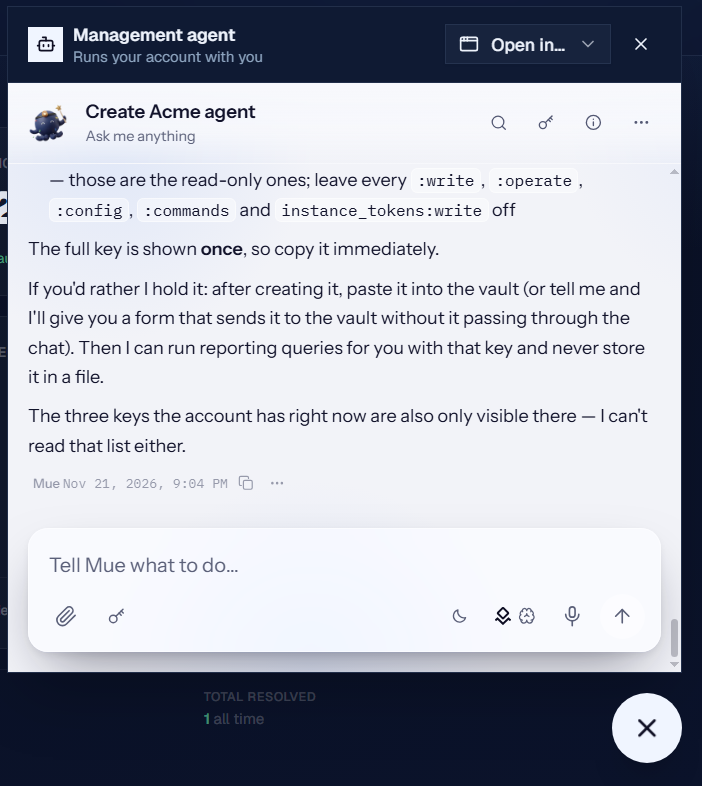
Then ask, in your own words:
**Ask your management agent:**
- "Create a Mue agent for me, size Small, called assistant."
- "What can you do for me?"
It shows you the cost, waits for your "yes", creates the agent and gives you the link to open it. Talk to your
new agent and tell it what you want it to do for you: "every morning at 8, send me a summary of my unread
emails", "build me a page to track my clients", "watch this website and tell me when the price drops".
More ideas: [What to ask your management agent](what-to-ask.md).
## Prefer to click?
You can do everything yourself in the dashboard. Open **Instances**, then **Create an instance**:
1. **Name and location.** A short name. It becomes part of the agent's address.
2. **Runtime.** Pick **Mue**. See [Choose a runtime](choose-a-runtime.md) for Hermes.
3. **Model.** **Molted Flash** works right away with no account; a **Claude account** or **ChatGPT account**
runs the agent on your own subscription. See [AI models](ai-models.md).
4. **Size.** **Small** ($2.88 a month) is enough for a first agent. See [Sizes](sizes.md).
5. **Review and create.** Your agent is online a few seconds later.
When the agent needs one of your accounts (Gmail, Google Calendar, Notion…) it shows a **Connect** button: see
[Connected apps](connected-apps.md). When it needs a password or an API key, it asks you to put it in the
[secrets vault](secrets.md), never in the chat.
## For developers
Create an API key under **Developers → API Keys** and give the agent on your computer (Claude Code, Codex…)
the [API overview](api-overview.md). The **Getting started** page of the dashboard has a ready-made prompt.
## Good to know
- An instance keeps running when you close the dashboard. Stopping it costs 10 times less
than running it, and keeps its files. See [Sizes, resizing and stopping](sizes.md).
- Self-serve accounts start with a limit of 3 instances. Ask us if you need more.
- Instances have no GPU, and port 25 (SMTP) is closed. See [Network](network.md).
---
# What to ask your management agent
Your **management agent** runs your molted.net account for you. You don't need to learn the dashboard or the
API: tell it what you want, in your own words. It asks before anything that costs money or deletes something.
**Where is it?** In your dashboard, click the round button at the bottom right. See
[Open your management agent](quickstart.md#open-your-management-agent).
Every request below was tried on a real management agent. Change the names to yours.
## Get started
**Ask your management agent:**
- "What can you do for me?"
- "Which size should I choose for an agent that reads my emails every morning?"
- "Create a Mue agent for me, size Small, called assistant."
## Build for my clients
**Ask your management agent:**
- "Create a Mue agent for my client Acme, size Small, tagged client=acme."
- "Send me a new invite link for the acme agent."
- "List my agents tagged client=acme."
- "Add the tag plan=pro to the acme agent."
- "Create a template called sales-agent with an instructions file that says: You are the sales assistant of our client. Make the client's name a variable filled in when an agent is created from it."
- "Create my branded app called Acme AI, with dark blue as the main colour."
When you create an agent for a client, the management agent gives you a link to send them. Whoever opens it
gets their agent, with nothing to install and no password.
## Money
**Ask your management agent:**
- "Show me what my instances cost this month."
- "How much credit do I have left, and how long will it last?"
- "Set a monthly usage cap of $8 on the acme agent."
## When something is wrong
**Ask your management agent:**
- "Is the acme agent healthy? Check its status, alerts and recent logs."
- "Show me the open alerts on my account."
- "Stop the acme agent, my client does not need it this week."
- "Start the acme agent again."
## Security and access
**Ask your management agent:**
- "Which API keys does my account have?"
- "Delete the acme agent."
API keys can only be created, listed and revoked by the account owner in the dashboard
(**Developers → API Keys**): the management agent tells you exactly what to tick, but it cannot do it for you.
Deleting an agent always asks for your confirmation.
## Tips
- **Say what you want, not how.** "My client Dupont needs an agent like Acme's" works.
- **Name things.** Agents, templates and apps are easier to find later when they have clear names and tags.
- **Answer its questions.** Before spending money it shows you the cost and waits for your "yes".
- **Connect your own AI subscription** if you have one: ask "Connect my Claude account" or "Connect my ChatGPT
account". Until then it runs on Molted Flash, charged to your wallet.
## What it can't do yet
- Create, list or revoke **API keys** (account owner only, in the dashboard).
- Copy an agent's **instructions and skills** into a template in one click: ask it to build the template from
the files you want instead, as in the example above.
For everything else, the rest of this documentation explains how things work in detail.
---
# What is molted.net
**Ask your management agent:**
- "What can you do for me?"
- "Create a Mue agent for my client Acme, size Small, tagged client=acme."
molted.net is a platform for AI agents that run all the time. Each agent gets its own Linux machine in the
cloud, called an **instance**, with its own disk, its own address and its own tools. The agent keeps working
when you close your laptop: it answers messages, runs scheduled work, watches what you asked it to watch and
builds what you ask for.
You can use molted.net for one agent of your own, or as the engine of a product: give an agent to each of
your clients or users, under your brand, and drive everything through the API.
## Agents that build themselves
Most AI agents are frozen. Someone designs their tools, prompts and screens, and they do that and nothing
else.
Agents on molted.net work differently. They have a real machine, so they can write and run code. When one
needs a tool it builds it. When a task comes back every week it schedules a [routine](routines.md). When a
person needs to see something it builds the screen or the little web app. It keeps memory of what it learned,
and it changes as the person it works for changes.
This is why a product built on molted.net adapts to each of its users: every user's agent becomes their own.
See [What you can build](what-you-can-build.md).
## What you get
- **An always-on machine per agent.** Your runtime is installed, kept up to date and repaired automatically
if something breaks. See [Sizes](sizes.md).
- **A choice of runtime.** Mue, our own agent runtime built around Claude Code and Codex, or the open-source
runtime Hermes. See [Choose a runtime](choose-a-runtime.md).
- **Your model, or ours.** Use your ChatGPT or Claude subscription, your own API key, or Molted Flash, the
model included with the platform. See [AI models](ai-models.md).
- **Tools ready to use.** 1,500+ [connected apps](connected-apps.md), a [cloud browser](cloud-browser.md), a
[secrets vault](secrets.md), long-term memory and voice.
- **Files you can take back.** Everything the agent keeps is in ordinary files on its own disk, backed up
automatically, with file history and restore points. See [Files, history and restore](files.md).
- **Ways in.** A chat in your dashboard and on mobile, a web terminal, [SSH](network.md#ssh),
[public URLs](network.md#public-urls) for the apps your agent builds, and a full [API](api-overview.md).
- **Everything to build for others.** [Templates](templates.md), [branded apps on your own domain](branded-app.md),
[invite links](access-links.md), [tags](organise-clients.md) and [per-agent costs and caps](resell-and-rebill.md).
- **An agent to run your account.** The [management agent](management-agent.md) creates instances, sends
access links and answers questions about your account, in plain words.
## Who it is for
- **AI integrators and agencies** who deliver agents to their clients, under their own brand.
- **Software products, apps and services** that want each user to get an agent that knows the product.
- **Freelancers and small businesses**, often through an integrator, who want an agent that does real work.
- **Independents and families** who want a personal assistant that never sleeps.
## How you pay
Self-serve accounts use a prepaid wallet: you add credit, and each instance is charged per day for the time
it exists. A Small instance costs $2.88 a month, and your first Mue agent on Small or Large gets its first
5 days free. Tools the agent uses on the platform (cloud browser, connected apps, Molted Flash, memory,
voice) are charged as used, under a monthly cap you set. See [Prepaid wallet](prepaid-wallet.md) and
[Usage caps](usage-caps.md).
## Where it runs
Your account lives in one region, **Europe** or **North America**, chosen when you sign up, and your
instances run in that region. See [Regions and data location](regions.md).
For more control, molted.net can also run on a dedicated deployment, in your cloud, on bare-metal servers, in
your offices or in a colocation datacenter. See [Dedicated and on-premise](dedicated-and-on-premise.md).
## molted.net and molted.cloud
molted.cloud is our own ready-to-use agent product, built on molted.net, with its own interface and offer.
It is an example of what you can build on the platform. You do not need molted.cloud to use molted.net.
> **With Enterprise, on request:** we can offer custom sizes and volume pricing, design and build a platform
> with you, deploy it on dedicated or on-premise infrastructure, sign contracts and guarantees, and give you a
> direct line with our engineers. See [What Enterprise adds](enterprise.md#talk-to-us).
## Next steps
- [Quickstart](quickstart.md): your first agent in a few minutes.
- [Core concepts](core-concepts.md): accounts, instances, runtimes, templates and applications.
---
# What you can build with molted.net
**Ask your management agent:**
- "What can you do for me?"
- "Create a Mue agent for my client Acme, size Small, tagged client=acme."
molted.net runs AI agents that never switch off. Each agent has its own machine, its own files and its own
address. It keeps working when nobody is looking, and people talk to it from a chat, from your app or through
the API.
Two ideas sit behind everything on this page.
**An agent that builds itself.** A classic agent is frozen: someone designs its tools, its prompts and its
screens, and it does that and nothing else. An agent on molted.net is a different kind of agent. When it
needs a tool it writes one. When a task comes back every Monday it schedules a routine for it. When a person
needs to see something it builds the screen. It remembers what it learned and changes as the person it works
for changes.
**A product that adapts to its user.** Put a molted.net agent inside a product and every user gets a version
of that product shaped around them: their data, their habits, their automations, their screens. There is
nothing better than a product that adapts to its user, and until now it could not be built at a reasonable
price.
Below, what this looks like for each kind of customer, and the parts of the platform each case uses.
## For AI integrators and agencies
You build agents for clients: consultants, agencies, software studios, AI communities. molted.net is the
engine you build on. You keep the client relationship, the brand and the price.
- **One agent per client, under your brand.** Each client gets their own agent on their own machine,
separated from every other client. They open it from an app with your name, logo, colours and domain.
See [Your branded app and domains](branded-app.md).
- **Set up once, copy for every client.** Write the instructions and skills your agents need into a
[template](templates.md) (your management agent can write it for you), and start every new client from it.
Keep out of the template what you built for yourself.
- **Hand it over with a link.** Send each client a single-use [invite link](access-links.md), valid up to
48 hours. Nothing to install and no password to share.
- **Keep your fleet in order.** Sort agents by client, plan or project with [tags and ownerPath](organise-clients.md),
and find any of them with one API call.
- **Bill what each client uses.** Read the cost of every agent, set a monthly cap per agent and re-bill your
clients line by line. See [Resell and re-bill](resell-and-rebill.md).
- **Let an agent run your account.** Ask the [management agent](management-agent.md) in plain words: "create an
agent for Acme from my sales template and send me the invite link". It asks before anything that costs money
or deletes something.
- **What your clients get is not a chatbot.** Their agent learns their business, builds the reports and tools
they keep asking for and runs their recurring work on schedule. Every client ends up with a different agent,
and you did not have to build each one by hand.
> **With Enterprise, on request:** we can design and build the whole platform from your mockups, run it on a
> dedicated deployment or on your client's infrastructure, and work with you as a partner on your first deals.
> See [What Enterprise adds](enterprise.md#talk-to-us).
## For software products, apps and services
You already have a product: a SaaS, a developer library, a mobile app, an online service. Adding molted.net
agents turns it into a product that adapts to each of its users.
- **Each user gets an agent that knows your product.** Give the agent your product's API, your docs and your
rules as [skills and instructions in a template](templates.md). Every user gets their own copy, on their own
machine, and it shapes itself around them from the first conversation.
- **Your users ask, the agent builds.** Instead of waiting for you to ship a feature, a user asks their agent
for the report, the automation or the view they need, and it builds it for them, inside your product.
- **It runs while they are away.** Agents keep working between sessions: [routines](routines.md) on a
schedule, background jobs, alerts. Your product does things for its users, not only when they log in.
- **Embed it your way.** Open the agent from your own app with a [sign-in link](access-links.md), use the
ready-made branded chat app, or build your own interface on the [API](api-overview.md).
Products built this way:
- **[Miakapp](https://miakapp.com)**, the smart home that builds itself, uses molted.net: each household's
agent writes the automations, scenes and dashboards for that home, and adjusts them as the family's habits
change.
- **[TradingView-API](https://github.com/Mathieu2301/TradingView-API)**, the open-source market-data library,
uses molted.net: an agent works with the library to research, backtest and run its user's strategies, and
reports back.
- **[TraCflux](https://tracflux.com)**, free software for designing traffic-signal plans, has a molted.net
integration planned, which can already be tried.
- **A possible case:** a lead-generation service such as [IGLeads.ai](https://igleads.ai) could give each
customer an agent that qualifies new leads, enriches them through [connected apps](connected-apps.md) and
drafts the follow-ups, every day.
**How to do it, step by step:** [Put molted.net inside your SaaS](integrate-into-your-saas.md).
> **With Enterprise, on request:** we can offer custom instance sizes, volume pricing, a specific model
> provider for all your users, data and browsing kept in Europe, and a dedicated deployment. See [What
> Enterprise adds](enterprise.md#talk-to-us).
## For the clients of integrators: freelancers and small businesses
You did not build the agent, an integrator or agency set it up for you. It is born ready for your trade, not
as a generic agent: its home screen already suggests the missions of your business. Here is what it does for
your business.
- **It works where you already work.** Email, calendar, CRM, accounting, chat: the agent uses your
[connected apps](connected-apps.md) (1,500+ of them) with your permission, and asks before it sends anything
in your name.
- **It does the recurring work.** Invoice reminders, weekly reports, lead follow-ups, appointment
confirmations: once you have asked twice, it turns the task into a [routine](routines.md).
- **It builds what you need.** A dashboard of this month's sales, a page where your clients book a slot, a
spreadsheet it keeps up to date: ask, and it builds it and gives you the link. See
[public URLs](network.md#public-urls).
- **It uses the web like you do.** Through the [cloud browser](cloud-browser.md) it fills in forms, checks
supplier sites and hands the browser to you when a site asks for your login.
- **Your data stays yours.** Everything the agent keeps is in ordinary files on its own machine, backed up
automatically, with a history you can restore from. See [Files, history and restore](files.md).
## For independents
You run your own business, or your own projects, and you want an assistant that actually does things.
- **A personal assistant that never sleeps.** It sorts your inbox, keeps your calendar, follows up on the
reply you are waiting for and sends you a notification on your phone when something needs you.
- **Your own tools, built for you.** A client tracker, a quote generator, a content calendar, a little web
app for your customers: the agent writes it, hosts it on its machine and maintains it.
- **Research and monitoring.** Competitor prices, job boards, public tenders, mentions of your brand: it
checks them on schedule and tells you what changed.
- **Your subscription, your choice of model.** Run it on your ChatGPT or Claude subscription, on your own key,
or on Molted Flash if you have neither. See [AI models](ai-models.md).
- **Small and cheap to start.** A Small instance costs $2.88 a month, and your first Mue agent on
Small or Large gets its first 5 days free.
## For families
One agent for the household, or one for each person.
- **The family organiser.** Shared calendar, school emails, appointments, the shopping list, reminders for
the bills: the agent keeps track and reminds the right person at the right time.
- **Paperwork.** It reads the letters you forward, fills in forms, keeps documents in order and tells you
what needs a signature.
- **Each person's own assistant.** Separate agents keep each person's things private. Share an agent with a
link when you want someone else to use it too.
- **The connected home.** Paired with a smart-home product, the agent builds the automations for your home and
adjusts them when your routines change.
## What every agent comes with
Whatever you build, every agent on molted.net has:
- its own Linux machine, always on, with a persistent disk and automatic repair;
- [files](files.md) backed up automatically, with restore points every 15 minutes and file history;
- [routines](routines.md) to run work on schedule, even with no one connected;
- [connected apps](connected-apps.md) (1,500+) and a [cloud browser](cloud-browser.md);
- a [secrets vault](secrets.md) for keys and passwords;
- [public URLs](network.md#public-urls) for the apps it builds, [SSH](network.md#ssh) and a web terminal;
- a choice of runtime: Mue or Hermes. See [Choose a runtime](choose-a-runtime.md).
## What molted.net is not for
- **Running models on the instance.** Instances have no GPU and are sized for agents, not model servers. Your
agent uses your own subscription or key, or Molted Flash.
- **Sending email over SMTP.** Port 25 is blocked. Send through an email provider's API or a connected app.
- **Running a browser on the instance.** Use the [cloud browser](cloud-browser.md): it runs outside your
instance, is billed by use and keeps your instance small.
- **Heavy compute on the shared cloud.** Self-serve sizes go up to 6 GB of RAM. Custom sizes come
with [Enterprise](enterprise.md), and so do [dedicated and on-premise deployments](dedicated-and-on-premise.md):
in your cloud, on bare-metal servers we help you choose, in your own offices or in a colocation datacenter.
## Where to start
- **Trying it yourself:** the [Quickstart](quickstart.md) gets a Mue agent answering in a few minutes.
- **Building for clients or users:** read [Core concepts](core-concepts.md), then [Templates](templates.md) and
[Your branded app](branded-app.md).
- **Bigger plans:** [talk to our team](enterprise.md#talk-to-us) about Enterprise,
dedicated and on-premise deployments.
- **For agents reading this:** the whole documentation is available as plain text at
[/docs/llms-full.txt](https://www.molted.net/docs/llms-full.txt).
---
# Core concepts
**Ask your management agent:**
- "What can you do for me?"
- "List my agents tagged client=acme."
A few words come back on every page of this documentation. Here is what each one means.
## Account
Your **account** (called a *tenant* in the API) holds everything: instances, templates, applications,
domains, API keys, billing. It lives in one [region](#region).
An account has **members**. Each member has a role:
- **Owner**: everything, including billing, API keys and the management agent.
- **Member**: works with instances and the rest of the account.
- **Viewer**: sees everything, changes nothing.
Members sign in with an email link or a passkey. There are no passwords.
## Instance
An **instance** is one agent and the machine it runs on: an isolated Linux machine, always on, with its own
disk, its own address and its own tools. Instances never see each other.
An instance is **running** or **stopped**. A stopped instance keeps its files and costs less. A deleted
instance is erased after 7 days.
Each instance has a **handle**, a short name that is part of its address, and an **id** (`inst-…`) used by
the API.
## Runtime
The **runtime** is the agent software installed on the instance:
- **Mue**: our own runtime, the default. It runs Claude Code or Codex on your subscription, or Molted Flash,
and comes with its own app: conversations, memory, routines, pages, voice and mobile notifications.
- **Hermes**: an open-source agent that exposes an OpenAI-compatible API and its own dashboard.
You can pin a runtime to a version or let it follow the stable version, and update it from the dashboard.
See [Choose a runtime](choose-a-runtime.md).
## Model
The **model** is the AI the runtime talks to. It can be your ChatGPT or Claude subscription, your own API
key, or **Molted Flash**, the model included with the platform and charged to your wallet. See
[AI models](ai-models.md).
## Size
Every instance has a **size**:
| Size | vCPU | RAM | Disk | Price |
|---|---|---|---|---|
| Small | 1.5 | 1.5 GB | 5 GB | $2.88/month |
| Large | 3 | 3 GB | 10 GB | $5.25/month |
| XLarge | 3 | 6 GB | 20 GB | $7.90/month |
You can change the size of a running instance without a restart. See [Sizes](sizes.md).
## Workspace and files
The agent's **home** (`/home/agent`) is its workspace. Everything in it persists across restarts, is backed
up automatically and has a version history. See [Files, history and restore](files.md).
## Template
A **template** is a reusable set of files and settings applied when an instance is created: instructions,
skills, configuration. Make an agent the way you want it, turn it into a template, and create as many
instances from it as you need. See [Templates](templates.md).
## Application
An **application** is your own branded version of the Mue web app: your name, logo, colours and domain. Your
users open their agent from it and never see molted.net. See [Your branded app and domains](branded-app.md).
## Access links
An **access link** opens an agent for someone without sharing any password: a single-use **invite link**
(up to 48 hours) to send to a client, or a short **sign-in link** for your own app. See
[Access links](access-links.md).
## Tags and ownerPath
**Tags** (`key` / `value` pairs) and the **ownerPath** (a path such as `/clients/acme`) label instances so you
can sort and find them: by client, plan, project or anything you like. They do not change who can access
what. See [Organise clients](organise-clients.md).
## Management agent
The **management agent** is a Mue instance that runs your account for you. Ask it in plain words to create an
instance from a template, send an invite link, publish your branded app or explain your bill. It asks before
anything that costs money or deletes something. See [The management agent](management-agent.md).
## Region
A **region** is where your account and its data live: **Europe** (`eu1`) or **North America** (`na1`). Each
region has its own dashboard (`https://eu1.molted.net`, `https://na1.molted.net`) and its own API
(`https://api.eu1.molted.net`, `https://api.na1.molted.net`). See [Regions and data location](regions.md).
## Wallet and usage
Self-serve accounts pay from a prepaid **wallet**: instances are charged per day, tools as they are used.
Each instance has a monthly **usage cap** for tools. Enterprise accounts receive a monthly invoice instead.
See [Prepaid wallet](prepaid-wallet.md), [Usage caps](usage-caps.md) and
[Enterprise billing](enterprise-billing.md).
## API
Everything in the dashboard can be done through the **API**, with an API key of your account. Use `v2` for
new work. See [API overview](api-overview.md) and the [API reference](https://www.molted.net/api/docs/v2).
---
# Choose a runtime
**Ask your management agent:**
- "Which size should I choose for an agent that reads my emails every morning?"
- "Create a Mue agent for me, size Small, called assistant."
The **runtime** is the agent software installed on your instance. You pick one when
you create an instance.
## At a glance
| | Mue | Hermes |
|---|---|---|
| Best for | An agent that builds its own tools, screens and routines, for you or for each of your users | An agent your own product calls through an API |
| How you talk to it | Its own app in your dashboard, on mobile, or your [branded app](branded-app.md) | An OpenAI-compatible API, its dashboard, Telegram |
| Models | Claude or ChatGPT subscription, OpenAI or Anthropic key, Molted Flash | ChatGPT subscription, an API key, Molted Flash |
| Smallest size | Small | Small (Large recommended) |
| Made by | molted.net | Open source |
**Mue is our recommendation for almost everything.** It is the runtime we build, the one that gets new
features first, and the one behind branded apps, access links and the management agent.
## Mue
Mue is our own runtime and the default choice. It runs the official **Claude Code** or **Codex** agents on
your own Claude or ChatGPT subscription, or Molted Flash if you have neither, and gives them everything they
need to work on their own:
- an app with conversations, projects, plans and progress, on the web and on mobile, with push
notifications;
- long-term memory: what the agent learned about you and your work, searchable across every past
conversation;
- [routines](routines.md) that run on schedule, even with no one connected;
- pages and a central web app the agent builds and changes for you;
- voice: it listens to voice messages and can answer out loud;
- the [cloud browser](cloud-browser.md), [connected apps](connected-apps.md) and the
[secrets vault](secrets.md), ready to use;
- sharing: give someone access to the agent with a link and a password.
Mue is the runtime behind [branded apps](branded-app.md) and [access links](access-links.md): if you build for
clients, start with Mue. Your first Mue agent on Small or Large gets its first 5 days free.
See [Mue features](mue-features.md).
## Hermes
Hermes is an open-source agent runtime. On molted.net it exposes:
- an **OpenAI-compatible API** at the agent's own address, protected by a token, so your backend can call it
like any chat completion endpoint;
- its own **dashboard** at a second address, opened in one click from your dashboard;
- a **Telegram** channel, restricted to the users you allow;
- a reasoning level, from none to extra high.
Hermes works with a ChatGPT subscription, an API key from a supported provider, or Molted Flash, which is set
automatically when you choose no provider.
## Versions and updates
Every runtime can either follow the **stable** version, which we test and move forward, or be pinned to a
specific version. When an update is available, the dashboard shows it and you start it in one click (a Mue
agent can also update itself when you ask). If the new version fails to start, the instance goes back to the
previous one on its own.
## Changing runtime
The runtime is part of how an instance is set up. To try another runtime, create a second instance: your
first one keeps its files and its history. Files can be copied from one instance to the other through the
[file API](files.md) or [SSH](network.md#ssh).
> **With Enterprise, on request:** we can package and run another runtime of your choice, or your own agent
> software, on molted.net. See [What Enterprise adds](enterprise.md#talk-to-us).
---
# Sizes, resizing and stopping
**Ask your management agent:**
- "Which size should I choose for an agent that reads my emails every morning?"
- "Stop the acme agent, my client does not need it this week."
- "Start the acme agent again."
## The three sizes
| Size | vCPU | RAM | Disk | Price | Good for |
|---|---|---|---|---|---|
| Small | 1.5 | 1.5 GB | 5 GB | $2.88/month | A light agent, a script or a routine that mostly waits on APIs. Mue fits here. |
| Large | 3 | 3 GB | 10 GB | $5.25/month | One agent that calls APIs all day: Hermes, Claude Code, Codex, a harness of your own. |
| XLarge | 3 | 6 GB | 20 GB | $7.90/month | Builds and tests, large files, several sub-agents at once. |
Every size includes:
- the runtime installed, kept up to date and never put to sleep;
- monitoring and automatic repair: when something breaks, the agent is brought back with its state;
- a fast SSD disk, with [backups, restore points and file history](files.md);
- the dashboard's file explorer, web terminal, logs and metrics;
- [SSH](network.md#ssh), the [API](api-overview.md) and [public URLs](network.md#public-urls).
These are the self-serve prices. Accounts billed monthly (Enterprise) have their own prices, set by their
contract: read them from the account's billing in the dashboard or the API, not from this table.
Prices are per instance and charged per day for the time the instance exists: three days of Small cost a tenth
of its monthly price. Tools the agent uses on the platform are charged separately, as used. See
[Prepaid wallet](prepaid-wallet.md).
## Which size do I need?
- **Start small.** The [cloud browser](cloud-browser.md) runs outside your instance, so browsing does not need
a bigger size. A Mue agent on Small does real work.
- **Move up** when the instance's metrics show memory close to the limit, when the agent builds or tests
code, or when it runs several sub-agents at once.
## Changing size
Change the size of an instance from its page in the dashboard, or through the API. The change applies to the
running instance **without a restart** and without losing anything. The new price applies from that day.
Before moving down, check on the instance's metrics that its memory and disk use fit in the smaller size.
## Starting and stopping
A **stopped** instance keeps its disk, its files and its settings. It costs 10 times less
than a running one (it is **not free**: you pay to keep its data). Start it again whenever you want; it comes back as you left
it.
- Stop an instance you do not need for a while instead of deleting it.
- Processes the agent started by hand (a server, a bot) do not come back by themselves after a stop or a
restart. Mue agents note how to start them again; other runtimes should run them as routines or services.
You can also stop only the **agent** and keep the machine up (status *idle*), for example to work on its
files over SSH.
## Restarting
**Restart** gives the instance a fresh start: the machine and the agent restart, and the instance is
unavailable for a few seconds. Files in the home directory are kept. Anything installed outside the home
directory (system packages) is not: install your tools in the home directory, or keep a setup script there.
Restarting is the first thing to try when an agent stops answering, after reading its alert and its logs.
## Resetting
**Reset** puts a stopped instance back to its initial state and **erases its data**. Use it to start over
with the same name and settings. The dashboard asks you to confirm.
## Deleting
**Delete** stops the instance and removes it from your account. Billing stops that day. Its data is kept for
7 days, then erased: contact us within that window if you deleted an instance by mistake.
## Limits
- Self-serve accounts start with a limit of 3 instances. Ask us to raise it.
- A few operations are rate-limited per account (for example creating, starting or deleting instances many
times an hour). See [Limits](limits.md).
> **With Enterprise, on request:** we can offer custom sizes (more memory, more CPU, larger disks), reserved
> capacity over 3, 6 or 12 months, and volume pricing. See [What Enterprise adds](enterprise.md#talk-to-us).
---
# AI models
The runtime is the agent; the **model** is the AI it thinks with. You choose it when you create an instance
and can change it later. There are three ways to provide one.
## 1. Your subscription
Your agent can run on the subscription you already pay for:
- **ChatGPT** (Plus, Pro, Business, Enterprise), through Codex;
- **Claude** (Pro, Max, Team, Enterprise), through Claude Code.
You sign in once, from the agent's app or its terminal, and the subscription's own limits apply. Nothing is
charged to your molted.net wallet for these calls.
## 2. Your own API key
Bring a key from your model provider and pay the provider directly:
- **Mue**: an OpenAI key or an Anthropic key;
- **Hermes**: a key from a supported provider;
On Mue, keys are kept in the instance's [secrets vault](secrets.md). Hermes keeps them in its own
configuration on the instance.
## 3. Molted Flash, the included model
**Molted Flash** is the model provided by molted.net. It needs no account and no key: an agent on Molted Flash
answers right after it is created. Usage is charged to your wallet, under the instance's monthly
[usage cap](usage-caps.md).
- A large context window, for long conversations and big files.
- A slower **night** mode that costs less, for work that is not urgent.
- It is also the **fallback** of Mue agents: when your subscription reaches its limit, the agent continues on
Molted Flash and goes back to your subscription when the limit resets.
Along with Molted Flash, the platform provides the smaller models agents need around the main one, charged
the same way: memory search, speech to text and text to speech, and fast decision models for routing and
structured choices.
## Which one should I pick?
- **You already pay for ChatGPT or Claude:** use it. It is usually the best model you have access to, and its
cost does not change.
- **You want it to work right now, or you are building for clients who have no AI account:** Molted Flash.
- **You build a product and want predictable costs per user:** Molted Flash with a [usage cap](usage-caps.md)
per instance, or your own key.
## Changing model
In Mue, the model and the effort can be changed per conversation from the agent's app, and the agent can
switch on its own for a task that needs it. For Hermes, change the provider or model from the
instance's settings.
## When a limit is reached
- **Subscription limit** (for example a 5-hour or weekly window): a Mue agent continues on its fallback model,
then switches back when the limit resets.
- **Usage cap of the instance** (Molted Flash and other platform tools): see [Usage caps](usage-caps.md).
- **Empty wallet**: platform tools, Molted Flash included, stop until you add credit. See
[Prepaid wallet](prepaid-wallet.md).
> **With Enterprise, on request:** we can set a specific model provider for all your agents, use private model
> endpoints, and agree contractual terms on where model calls go. See [What Enterprise
> adds](enterprise.md#talk-to-us).
---
# The management agent
**Ask your management agent:**
- "What can you do for me?"
- "Create a Mue agent for my client Acme, size Small, tagged client=acme."
- "Show me what my instances cost this month."
The **management agent** is an agent that runs your account for you. Instead of clicking through the
dashboard or writing API calls, you ask it in plain words.
## What it can do
- **Create instances** for you or your clients, from a [template](templates.md), with the right size, runtime,
[tags](organise-clients.md) and owner path.
- **Give access**: create [invite links](access-links.md) to send to a client, or sign-in links into your
[branded app](branded-app.md).
- **Publish your branded app** and connect your own domain.
- **Diagnose an agent** that does not answer: status, events, alerts, logs, then restart if needed.
- **Turn an instance into a template** so new clients start from it.
- **Answer questions about your account**: balance, costs per instance, usage caps.
It asks for your confirmation before anything that costs money (creating an instance, changing a size) or
deletes something.
Examples of what to ask:
- "Create an agent for Acme from my sales template, Small, tagged client=acme, and send me the invite link."
- "Which of my agents cost the most this month?"
- "The agent of Dupont does not answer, what is going on?"
- "Publish my app on app.example.com."
## Starting it
Open your dashboard and click the round chat button at the bottom right, or choose **Start with Molted** on
the **Getting started** page. The first click creates the agent; the next ones open it.
- Only the account **owner** can start it.
- It is a Mue instance of size Large, billed like any other instance. Your account needs credit for its first
day.
- It runs on the first AI account you connect to it (Claude or ChatGPT), and on Molted Flash until then.
## How it works
The management agent uses the molted.net [API](api-overview.md), like any program you would write. When it is
created, it receives an API key named **Management agent**, stored in its own [secrets vault](secrets.md).
You see this key in **Developers → API Keys**.
- **Revoke the key** to cut its access immediately. It is revoked automatically when you delete the management
agent.
- **Delete the agent** like any other instance when you no longer need it.
## How it does the usual jobs
The recipes below are what the management agent follows. They are written for agents, and they are useful to
anyone who drives molted.net through the [API](api-overview.md). Calls go to `https://api..molted.net`
with the account's API key (`Authorization: Bearer …`).
### An agent for a client
1. **Say what will be created and wait for a yes**: the name, the size and its monthly price (for example
Small, $2.88 a month).
2. **Create it**: `POST /v2/instances` with
- `handle`: lowercase, taken from the name (`anna-dupont`);
- `tenantId`;
- `startAgent: true`;
- `profile`: `{ "userName": "Anna", "language": "French", "timezone": "Europe/Paris" }`;
- no `runtime`: Mue is the default.
3. **Give the invite link right away**, without waiting for the agent to start:
`POST /v2/instances/{id}/invite-link` with `expiresInHours` up to 48. It works while the agent is starting.
If it is opened too early, the page says the agent is starting and the invitation stays valid: it is used
only once, when it actually opens the agent. molted.net sends nothing: show the message to the user, then
send it with the user's own tools (their email, their chat) if they ask.
4. **Then wait** until its `status` is `running` (usually 1 to 3 minutes): `GET /v2/instances`.
5. **Tell the new agent who it works for**: read `workspace/USER.md` with
`GET /v2/instances/{id}/fs/read?path=workspace/USER.md` (404 on a new agent), then write it with
`PUT /v2/instances/{id}/fs/write`. Write facts only, and nothing about the client that the client should not
read: the client will open this agent.
6. **To open it yourself instead**, once it is running: `POST /v2/instances/{id}/open-in-application` with
`{"applicationId": "mue-web"}` (or your branded app's id), a sign-in link, single use, valid 10 minutes. It
answers `409` while the instance is still starting.
### A template for a type of client
Template writes still go through v1; reads are in v2.
1. **Create the template**: `POST /v1/templates` with `name`, `runtime: "molted-runtime"`, `pathBase: "home"`,
`mode: "replace"` and its files (paths relative to the agent's home directory):
- `workspace/mue-pages/home.json`, the suggested missions of the home screen:
```json
{ "version": 1, "suggestions": [
{ "label": "Estimate a property", "text": "Estimate the property at…", "hint": "address, surface", "icon": "home" }
] }
```
Up to 8 suggestions, `label` up to 60 characters. `icon` is one of `home`, `calendar`, `messages`, `list`,
`chart`, `star`, `bolt`, `globe`, `folder`, or an emoji. `hint` and `icon` are optional.
- `.agents/skills//SKILL.md`, one per skill, starting with a frontmatter that has `name` and
`description`.
- On request, the left bar, `workspace/mue-pages/sidebar.json`:
```json
{ "version": 1, "items": [ { "page": "routines" }, { "page": "terminal", "hidden": true } ] }
```
and a custom page, `workspace/mue-pages//index.html` with its `page.json`.
2. **Variables**: a `{{NAME}}` written in a file is a template variable. Declare it on the template and fill it
at creation, or don't write one: otherwise creating an agent from the template fails.
3. **Create an agent from it**: `templates: [{ "name": "…" }]` in `POST /v2/instances` (with `plainValues` for
the variables).
4. **Check**: read `workspace/mue-pages/home.json` on the new agent (`fs/read`). The cards are on its home
screen before its first conversation.
### An agent that needs attention, or a full disk
1. **Look**: `GET /v2/instances` (its `actualState`: heartbeat, memory, `diskUsagePercent`…), then
`GET /v2/alerts` and keep the alerts of that instance.
2. **Explain** what is wrong in plain words.
3. **For a full disk, find what takes the space**: `POST /v1/instances/{id}/exec` with
`{"command": "du -xh -d 2 /home/agent"}`. The command runs as is, **without a shell**: no pipes, no
redirections, no `~`. Sort the result yourself and keep the largest entries.
4. **Propose the exact list** (path and size) of what to delete and wait for a yes. Delete only that, then
check again.
- Caches and build outputs: fine to propose.
- Documents, `workspace/`, memory and conversations: never, unless you name them one by one and the user
agrees.
5. If nothing can go, propose a [bigger size](sizes.md): it applies without a restart.
A stopped instance is **not free**: it costs 10 times less than a running one.
## Using your own agent instead
Any instance can play this role: tag it `role=management-agent` and give it an API key of your account. It is
then the one the dashboard opens. This is useful if you built your own management agent, on another runtime
or with your own instructions.
Your management agent, like any agent, can read this documentation at
[/docs/llms.txt](https://www.molted.net/docs/llms.txt).
---
# Templates: pre-configured agents
**Ask your management agent:**
- "Create a template called sales-agent with an instructions file that says: You are the sales assistant of our client. Make the client's name a variable filled in when an agent is created from it."
A **template** is a reusable set of files and settings applied when an instance is created. It is how you
give every new client or user an agent that already knows its job: the same instructions, the same skills,
the same configuration, from the first minute.
## What a template contains
A template is a list of files, each with its path in the agent's home directory and its content, for example:
- the agent's **instructions** (who it works for, how it should behave, what it must never do);
- **skills**: step-by-step know-how the agent reads when a task needs it (how to use your product's API, how
to write a quote, how to onboard a new user);
- **configuration** files of the runtime;
- the agent's **home screen and left bar**: the suggested missions under the message field, the pages shown
and their order (Mue);
- **variables**: values filled in at creation (the client's name, a language) and **secrets** bound at
creation (an API key), so the same template serves every client.
A file is either **replaced** or **merged** with what is already there (for JSON configuration).
## Making a template
The simplest way is to ask your [management agent](management-agent.md) to write it for you: tell it what
the template should contain (the instructions, the skills, the variables) and it creates the template.
You can also write a template yourself in **Templates** in the dashboard, or duplicate one of the built-in
templates to change it.
**Save as template**, in the instance list, copies an agent's runtime configuration files. On Mue, the
agent's instructions and skills live in its workspace and are not part of that copy: to reuse them, write them
into the template (or ask the management agent to do it, from the files you name).
## Creating instances from a template
Pick one or more templates when you create an instance, in the dashboard or with the API
(`templates` in `POST /v2/instances`). The files are in place when the agent starts. Ask the
[management agent](management-agent.md) to do it for you: "create an agent for Acme from my sales template".
A template can also be applied to an existing instance later.
## Good practices
- **Keep secrets out of template files.** Bind them at creation, so each client's agent gets its own key.
- **Keep memory and personal data out.** A template is a starting point, not a copy of your agent's life.
- **Write the instructions for the agent's real user**, not for you: their name, their business, their
language, filled in by variables.
- **Version your templates.** Give a new name to a new version, so existing clients are not surprised.
## Templates and agents that build themselves
A template does not freeze the agent. It is where the agent starts: from there, each agent learns about its
own user, builds its own tools and routines, and becomes different from its siblings. That is the point.
> **With Enterprise, on request:** we can design and write your templates and skills with you, and package
> them as your own agent product. See [What Enterprise adds](enterprise.md#talk-to-us).
---
# Files, history and restore
Everything an agent knows and builds is in ordinary files on its own disk: its instructions, memory, notes,
databases, the apps it wrote. Nothing is locked in a format of ours.
## What persists
- The **home directory** (`/home/agent`) persists: it survives restarts, stops and updates.
- Anything installed **outside** the home directory (system packages) is gone after a restart. Install tools
in the home directory, or keep a setup script there.
- **Processes** the agent started itself (a server, a bot) are not restarted for it after a restart. Run them
as [routines](routines.md), or note how to start them again.
- On Mue, to save space, the agent's housekeeping cleans up what can be rebuilt when it sits idle: build outputs (`target/`,
`.next`…) and download caches, and, when the disk is well over its size, `node_modules` and Git clones whose
work is all pushed. Chat attachments not touched for 30 days are removed (7 days when the disk is nearly
full).
## Backups and restore points
Every instance is backed up automatically:
- **Restore points** of the whole agent every **15 minutes**.
- **File history**: each file keeps its **3 latest versions** plus its state at each of the **last 7
midnights** (UTC), for up to **7 days**. Deleted files can be brought back within the same window.
To go back in time:
- **One file**: open the file explorer of the instance, open the file's history, compare two versions side by
side and restore the one you want. A Mue agent can do it for you: ask it.
- **The whole agent**: open the instance's **Storage** tab, choose a restore point and confirm. The instance
restarts on that state after a few seconds.
We back up every instance by this rule. For data that is critical to you, keep a copy of your own as well
(see [Taking your data with you](#taking-your-data-with-you)).
## Browsing and editing files
- **Dashboard**: the file explorer shows the agent's files, lets you search, read, edit and download them,
and opens SQLite databases read-only.
- **Agent**: it works on its own files directly, of course.
- **SSH**: `scp` and `sftp` work with the instance's SSH access. See [SSH](network.md#ssh).
- **API**: the `/v2/instances/{id}/fs/*` routes list, search, read, write and delete files, show recent changes,
and read and restore versions. They work **whatever the instance's state**, even when it is stopped. See the
[API reference](https://www.molted.net/api/docs/v2).
Paths in the API are relative to the home directory: `workspace/notes.md`, not `/home/agent/workspace/notes.md`.
## Taking your data with you
Your files are yours. To take everything:
- copy the home directory over SSH (`scp -r` or `sftp`), or
- ask your agent to make an archive and download it from the file explorer, or
- walk the tree with the file API and download each file.
## Limits
- Chat attachments: up to 10 MiB per file.
- Disk size: the size of the instance ([Sizes](sizes.md)). Change the size to get more.
> **With Enterprise, on request:** we can offer longer retention, larger disks, and backups kept where you
> choose, including on your own infrastructure. See [What Enterprise adds](enterprise.md#talk-to-us).
---
# Always on: routines and background work
An instance never sleeps. Closing the dashboard, your laptop or the mobile app does not stop the agent: it
keeps running the work you gave it.
## Routines (Mue)
A **routine** is work the agent does on a schedule:
- **once**, at a given time ("tomorrow at 9, check whether the client replied");
- **regularly**, with a schedule and a time zone ("every weekday at 8 in Paris time, send me my agenda").
When a routine runs, it either:
- **wakes the agent** in a conversation with the instructions you gave, so it can think, use its tools and
report back; or
- **runs a script without AI**, which costs no model usage. A script can wake the agent only when it finds
something worth looking at: the cheapest way to watch a website, a mailbox or an API.
You do not need to write routines yourself. Ask the agent: "remind me on Friday", "check every hour whether
the price dropped". It creates the routine, and you see all of them, with their past runs, on the
**Routines** page of the agent's app.
Limits:
- routines that wake the agent run at least 15 minutes apart, at most 2 at a time, and up to 60 minutes per
run;
- a routine that fails 3 times in a row is paused and the agent tells you.
## Background tasks and sub-agents (Mue)
During a conversation, a Mue agent can start long tasks in the background and run several sub-agents in
parallel, then report back when they finish. A progress card shows where the work stands.
If the instance restarts during a turn (an update, a repair), the agent resumes the interrupted turn by
itself.
## Long-running services
An agent can run its own services on its machine: a web app, a bot, a queue worker. They keep running while
the instance runs.
- After a **restart** of the instance, services the agent started by hand are not started again
automatically. A Mue agent writes down how to start them, and checks them before relying on them.
- To expose a web service, see [public URLs](network.md#public-urls).
## Hermes
Hermes has its own scheduled jobs, and it runs on an always-on instance too, so its jobs keep running when
you are away.
## Good practices
- Put the steps that need no judgement in a **script**, and let the AI handle only what needs it.
- Prefer one routine that checks several things to many routines that each wake the agent.
- Keep an eye on the instance's [usage cap](usage-caps.md) if routines use the cloud browser or Molted Flash
often.
---
# Connected apps and MCP
Agents on molted.net can act in more than 1,500 apps: Gmail, Google Calendar, Google Drive, Slack, Notion,
HubSpot, Salesforce, GitHub, Shopify, payment and accounting tools and many more. The full list is on
[molted.net/integrations](https://www.molted.net/integrations).
## How an app gets connected
1. The agent needs an app ("send this email", "add this to my calendar").
2. It looks for the app's tools and finds that the account is not connected yet.
3. It shows the user a **Connect** card. The user clicks it, signs in to the app and approves the access, on
the app's own sign-in page.
4. The agent uses the app from then on, with the access the user granted.
The agent never sees the user's password. The user can disconnect an account at any time from the
**Integrations** page of the agent's app or from the dashboard.
## The molted MCP server
Connected apps reach the agent through the **`molted` MCP server**, available on every runtime (Mue, Hermes). Through it, the agent can:
- search the tools of every app, and run them (one tool or several at once);
- list the connected accounts and ask the user to connect a new one;
- use the [cloud browser](cloud-browser.md), the file history, public URLs and its usage report.
Your agent can also connect to any other MCP server on the internet, or run its own: outbound network access is
open. See [Network](network.md).
## Sharing accounts between instances
An instance can use the connected accounts of another instance of your account. Useful when a team of agents
works for the same person, or when a management agent sets things up for a client's agent.
## Through the API
The `/v2/instances/{id}/integrations`, `/connections` and `/tools/execute` routes let your own product browse the
catalogue, manage connected accounts, run a tool and read the log of tool calls. See the
[API reference](https://www.molted.net/api/docs/v2).
## Cost
Connected apps need no subscription of their own on molted.net. Each action is charged to your wallet as it
is used, at the unit prices listed in your dashboard and by `GET /v2/meters`, under the instance's
[usage cap](usage-caps.md). When the cap is reached, connected apps pause until the next month or until you
raise the cap.
## When to use the browser instead
Prefer a connected app when one exists: it is faster, more reliable and costs much less than driving a
website. Use the [cloud browser](cloud-browser.md) for sites without an app, or for what an app does not
cover.
---
# Cloud browser
Every agent can drive a real web browser. It runs **outside** the instance, so it does not use the instance's
memory: a Small instance browses as well as an XLarge.
## Two browsers (Mue)
Mue agents have two browsers; Hermes agents have one, which uses the residential network while
the instance is well under its usage cap.
| | Basic | Stealth |
|---|---|---|
| For | Most sites | Sites that are hard to reach from a data center, used within their terms |
| Network | Standard | Residential network |
| Captchas | Handed to the user | Solved automatically in most cases |
| Cost | Low | Much higher: use it only where Basic is blocked |
Each browser keeps its own logins (cookies), so the agent stays signed in to the sites it uses.
## The browser is persistent and shared
- The browser keeps its tabs and logins between tasks and between conversations.
- The **user can watch it live** and take over: from the agent's app, or through a live-view link.
- When a site asks for a login, a one-time code or a consent, the agent **hands the browser to the user**,
waits, then continues.
## Settings
The agent (or you, through the API) can set:
- the **country** the browser appears to browse from;
- how long a session stays open (60 minutes by default, up to 240);
- an economy mode: block images and videos, turn off the residential network;
- the window size, and session recording.
Files the browser downloads are handed to the agent as short-lived links.
## Don't run a browser on the instance
Installing Chrome, Playwright or Puppeteer on the instance is not supported. The cloud browser is built for
this: it is isolated from your agent's machine, keeps your instance small and is billed only when used.
## Cost and limits
The browser is charged to your wallet by use, at the unit prices listed in your dashboard and by
`GET /v2/meters`, under the instance's [usage cap](usage-caps.md):
- at **90%** of the cap, the browser switches to economy mode and stealth pauses;
- at **95%**, the browser pauses until the next month or until you raise the cap.
## Through the API
`/v2/instances/{id}/browser` and its sub-routes open, configure and release the browser, create a live-view
link and list sessions. See the [API reference](https://www.molted.net/api/docs/v2).
## Browser or connected app?
If a [connected app](connected-apps.md) does the job, use it: faster, more reliable and cheaper. Use the
browser for everything else.
> **With Enterprise, on request:** we can keep browsing in a given region, or set up a dedicated browser pool
> or your own browsing infrastructure. See [What Enterprise adds](enterprise.md#talk-to-us).
---
# Secrets
Every instance has a **secrets vault** for API keys, tokens and passwords. Secrets stay out of the agent's
files, out of its memory and out of the chat.
## Giving a secret to your agent
- **From the agent's app**: add the secret in its secrets panel. You can leave the name empty and
describe it: the agent gives it a name when it needs it.
- **When the agent asks**: when it needs a key, it asks you to put it in the vault instead of pasting
it in the chat.
Never paste a secret in a conversation: conversations are stored and searchable.
## How the agent uses it
On the instance, the `molted secret` command manages the vault:
| Command | What it does |
|---|---|
| `molted secret set NAME` | Store a value (read from standard input), with a description and tags |
| `molted secret list` | List names, descriptions and tags, never values |
| `molted secret run -s NAME -- command …` | Run a command with the secret as an environment variable; the value is masked in the output |
| `molted secret rename ID NAME` | Name a secret added without a name |
| `molted secret delete NAME` | Delete it; it can be restored for 30 days |
| `molted secret restore NAME` | Bring a deleted secret back |
The agent never prints a value, never writes it to a file, a command line or a commit.
## What you see in the dashboard
The names, descriptions and tags of the secrets, never their values. You can add, replace and delete secrets.
## Secrets in templates
When you create instances from a [template](templates.md), bind secrets at creation (for example the client's
own API key) instead of writing them in the template's files.
## Secrets of the platform
Some secrets are created for you: the API key of the [management agent](management-agent.md), for example.
They live in the same vault and can be revoked from **Developers → API Keys**.
---
# Network: outbound, public URLs, SSH
## Outbound: what the agent can reach
An instance reaches the internet like a cloud server: any site, any API, any port, over TCP and UDP.
Blocked:
- **Port 25 (SMTP).** To send email, use an email provider's API or a [connected app](connected-apps.md)
(Gmail, Outlook…).
- **Other customers' instances** and the platform's own internal services.
- Cloud metadata addresses.
We watch for abuse (spam, attacks, mining) and may stop an instance that breaks our acceptable use
policy; see our [legal terms](https://www.molted.net/legal).
## Public URLs
The apps your agent builds (a dashboard, a booking page, an API, a webhook receiver) can be published at a
public HTTPS address in one step.
- The agent exposes a **port** (1024 to 65535) and gets an address like
`https://--.`. The prefix is random by default, so the address cannot be guessed.
- HTTPS and its certificate are handled for you. The server just listens on `0.0.0.0` over plain HTTP.
- Up to 10 ports per instance.
- A few ports are reserved for the runtime, the platform and SSH, and cannot be exposed.
**Anyone who has the address can open the page.** There is no sign-in in front of it: an app that shows
private data must have its own sign-in. Your agent can add one.
The agent manages this with its tools (`MOLTED_PORT_EXPOSE`, `MOLTED_PORTS_LIST`, `MOLTED_PORT_UNEXPOSE`), and
you can do it through the API (`/v2/instances/{id}/ports`).
With your own domain, instances and their public URLs can live under it: see
[Your branded app and domains](branded-app.md).
## The agent's own address
Each instance also has the address of its runtime (`https://.`), protected by a token: the
Mue app, the Hermes API. Hermes has a second address for its dashboard.
## SSH
Every instance accepts SSH, with a key (no passwords):
```
ssh -p 2222 -o VersionAddendum=molted:v1: -o HostKeyAlias= agent@ssh..molted.net
```
- `` is the instance's handle or id; `` is `eu1` or `na1`. With your own domain:
`ssh.`.
- **OpenSSH 10 or newer** is required (for the `VersionAddendum` option).
- Your public key goes in `~/.ssh/authorized_keys` on the instance. The simplest way: give it to your agent
and ask it to add it.
- `scp`, `sftp`, port forwarding (`-L`, `-D`) and reverse tunnels (`-R`) work. A reverse tunnel lets the agent
reach your own computer or a service on your network, when you want it to.
- SSH can be turned off per instance.
The connection is encrypted end to end between your computer and the instance.
## Web terminal
The instance page of the dashboard has a terminal in the browser. In Mue, the terminal and the file explorer
are features you turn on in the agent's app.
> **With Enterprise, on request:** we can set up private networking to your systems, fixed outbound addresses,
> network rules of your own, or a deployment inside your network. See [Dedicated and
> on-premise](dedicated-and-on-premise.md).
---
# Mue features
Mue is molted.net's own agent runtime. It turns Claude Code or Codex into an agent that lives on its own
machine, works on its own and builds its own tools around its user. This page lists what a Mue agent offers.
## Conversations and projects
- Conversations, grouped in **projects**, each with a clear title and a status: working, waiting for you,
blocked, done.
- A **plan and progress card** for long work, instead of a checklist buried in the chat.
- **Choice cards** when the agent needs a decision, and **suggested replies** for the obvious answer.
- **Rewind** to an earlier message; the other branch is kept as a version.
- **Drafts** kept in sync between your devices.
- The agent can split big work into **sub-conversations** and **sub-agents**, and resume an interrupted turn
by itself.
## Memory
- What the agent knows about you and your preferences, and an index of everything it learned, in plain
Markdown files you can read and edit.
- **Search across all past conversations**, so it does not ask twice.
- A **business memory**: what your company does, what it sells, for whom, how you write.
- A nightly pass that tidies the memory, which you can review and undo.
## Pages, apps and screens
- The left bar holds **pages**: Routines, Integrations, and any page the agent builds or adapts for you.
- A **central web app** in the agent's workspace, which the agent extends (a CRM view, a dashboard, a tracker)
and shows you beside the chat.
- Pages and apps can be shown **inside a message** or **beside the chat**.
## Working on its own
- [Routines](routines.md) on a schedule, and scripts that wake the agent only when needed.
- The [cloud browser](cloud-browser.md), with hand-over to you for logins and captchas.
- [Connected apps](connected-apps.md), with a Connect card when an account is missing.
- The [secrets vault](secrets.md).
## Voice and mobile
- **Voice messages**: the agent transcribes what you say and can answer out loud.
- **Dictation** in the message box.
- The **mobile app** and **push notifications** when something needs you.
## Models
- Claude Code or Codex on your subscription, your own key, or Molted Flash. See [AI models](ai-models.md).
- Model and effort per conversation; a fallback model when a subscription limit is reached, then automatic
return.
## Sharing
- **Share the agent** with someone through a link and a password: they get full access, like you.
- **Devices**: pair a new device with a one-time link, revoke one at any time.
- In a [branded app](branded-app.md), your users open their agent under your name.
## Features you turn on
Some features are off by default and can be turned on in the agent's app: the **file explorer**, the **web
terminal**, the **agenda**, paid data tools. Voice dictation and suggested replies are always on.
## Under your brand
Everything on this page is what your users get when they open their agent from your
[branded app](branded-app.md). They see your name, not Mue's.
---
# Put molted.net inside your SaaS
**Ask your management agent:**
- "Create a Mue agent for my client Acme, size Small, tagged client=acme."
- "Send me a new invite link for the acme agent."
- "Create my branded app called Acme AI, with dark blue as the main colour."
> Integrating molted.net into a SaaS makes it exceptional, because the product adapts to each user. And it is
> hard to think of anything better than a product that adapts to its user.
Every SaaS has the same problem: one product for thousands of different people. Each of them wants a report
you do not have, an automation for their own way of working, a screen arranged their way. You cannot build all
of it. Their agent can.
With molted.net, each of your users gets **their own agent**, on its own machine, that knows your product and
works for them. It learns how they use it, builds the tools and routines they need with your API, and
becomes, over time, a version of your product made for them.
## What your product gains
- **It adapts to each user.** The agent turns "I wish the product did X" into something that exists that
afternoon, for that user, without waiting for your roadmap.
- **It works while your users are away.** Routines run on schedule: daily reports, alerts, clean-ups, syncs
with their other tools.
- **It connects your product to the rest of their world.** Through 1,500+ connected apps, their agent links
your product to their email, CRM, calendar or spreadsheets.
- **Your users stay.** A product that has learned how someone works, and built their tools around them, is
hard to leave.
- **A new line of revenue.** Sell the agent as an add-on or a higher plan; you pay molted.net per instance and
per use, and set your own price.
- **No infrastructure to run.** Machines, updates, repairs, backups, the browser, connected apps and the
models are ours to run.
## How it works, step by step
### 1. Create your account
[Sign up](quickstart.md), choose the region closest to your users, and add credit. For volume pricing, a
monthly invoice or a dedicated deployment, talk to us about [Enterprise](enterprise.md).
### 2. Build the agent your users will get
Start one Mue instance and make it the agent you want every user to have:
- **Instructions**: who it works for, what your product does, what it must never do.
- **Skills**: how to use your product's API (endpoints, examples, pitfalls), how to build a report, how to set
up a common automation. Write them the way you would brief a new support engineer.
- **Your product's access**: the agent calls your API with a token of the user it works for. In the
template, make this token a **variable** filled in at creation.
Talk to it as one of your users would, until it does the job well.
### 3. Turn it into a template
Turn what works into a [template](templates.md): the instructions, the skills and the variables (the
user's name, their language, their API token in your product). The easiest way is to ask your
[management agent](management-agent.md) to write the template from the files of your test agent. Leave out
what is specific to your test (memory, notes, secrets).
On Mue, a template can also carry **the agent's home screen and left bar**: the suggested missions shown under
the message field, the pages in the bar and their order, and custom pages. Each new agent is then born ready
for its user's job, with the right suggestions on its home screen before its first conversation. For example,
for a real-estate agency:
**Ask your management agent:**
- "Create a template for my real-estate agency clients: four home suggestions in French (Estimate a property / Write the listing / Follow up with the buyers / Plan the week's visits), the visite-bien skill, and the left bar with a custom page 'biens'. Show me the list first, then create an agent for Claire Martin from it."
To check it, open the new agent's home screen: the four cards are there before its first conversation.
### 4. Create an agent for each user, from your backend
When a user turns the agent on (at sign-up, or when they buy the add-on), your backend calls the API:
```bash
curl -X POST "https://api..molted.net/v2/instances" \
-H "Authorization: Bearer $MOLTED_API_KEY" \
-H "Content-Type: application/json" \
-d '{
"handle": "u-4821",
"tenantId": "",
"instanceType": "small",
"templates": [{
"name": "yourproduct/1/agent",
"plainValues": { "USER_NAME": "Claire", "PRODUCT_API_TOKEN": "" }
}],
"ownerPath": "/users/4821",
"tags": [
{ "key": "user.id", "value": "4821" },
{ "key": "plan", "value": "pro" }
]
}'
```
- The **tags** and the **ownerPath** let you find each user's agent again (`GET /v2/instances?tagKey=user.id&tagValue=4821`).
See [Organise clients](organise-clients.md).
- Store the returned instance id next to the user in your own database.
- Set a monthly [usage cap](usage-caps.md) that matches the plan the user pays for.
### 5. Let users open their agent from your product
Two ways, often together:
- **Your branded app**: an app with your name, logo and colours, on your domain (for example
`agent.yourproduct.com`). See [Your branded app and domains](branded-app.md).
- **An "Open my agent" button** in your product: your backend asks for a [sign-in link](access-links.md)
(`POST /v2/instances/{id}/open-in-application`) and sends the user to it. They land in their agent, already
signed in, without a second password.
For a user who has not signed in to your product recently, send an [invite link](access-links.md) by email
instead.
### 6. What the agent then does for each user
From the first conversation, the agent works for that one person:
- it answers questions about your product with their own data;
- it builds what they ask for: a report, a dashboard page, an automation, an export to their spreadsheet;
- it turns repeated requests into [routines](routines.md) that run without them;
- it connects your product to their other tools through [connected apps](connected-apps.md);
- it remembers their preferences, and gets better at working for them every week.
Two users of the same plan end up with two different agents, each shaped by its user.
### 7. Billing
- molted.net charges you per instance and per day (a Small instance costs $2.88 a month), plus the
tools each agent uses, under its cap. See [Prepaid wallet](prepaid-wallet.md).
- Read what each user's agent cost (`GET /v2/instances/{id}/cost`) and bill it your way: included in a plan,
as an add-on, or by usage. See [Resell and re-bill](resell-and-rebill.md).
- Users who bring their own ChatGPT or Claude subscription can connect it to their agent; otherwise Molted
Flash is charged to your wallet.
### 8. The rest of the lifecycle
- **A user goes quiet**: stop their instance. It keeps everything and costs 10 times less;
start it again when they come back.
- **A user leaves**: delete their instance. Its data is erased after 7 days.
- **You improve the agent**: publish a new version of your template for new users, and apply it to existing
agents when you are ready.
## Products built this way
- **[Miakapp](https://miakapp.com)**, the smart home that builds itself, uses molted.net: each home gets an
agent that finds the devices, writes the automations and designs an interface for everyone who lives there.
- **[TradingView-API](https://github.com/Mathieu2301/TradingView-API)**, the open-source market-data library,
uses molted.net: an agent on molted.net works with the library to research, backtest and run its user's
strategies, and reports back.
- **[TraCflux](https://tracflux.com)**, free software for designing traffic-signal plans, has a molted.net
integration planned, which can already be tried: an agent that helps each engineer design and optimise their
plans.
- **A possible case:** a lead-generation service such as [IGLeads.ai](https://igleads.ai) could give each
customer an agent that qualifies new leads and drafts the follow-ups every day.
> **With Enterprise, on request:** we can build the integration with you, from the template and skills to the
> "Open my agent" button and your branded app, with volume pricing and a dedicated deployment if you need one.
> See [What Enterprise adds](enterprise.md#talk-to-us).
---
# Organise clients: tags and ownerPath
**Ask your management agent:**
- "List my agents tagged client=acme."
- "Add the tag plan=pro to the acme agent."
When you run agents for many clients or users, you need to know which agent belongs to whom. molted.net gives
every instance two kinds of labels.
## Tags
**Tags** are `key` / `value` pairs. Use them for anything you want to sort or filter by:
| Key | Example values |
|---|---|
| `client` | `acme`, `dupont-sarl` |
| `plan` | `starter`, `pro` |
| `role` | `sales-agent`, `support-agent`, `management-agent` |
| `env` | `production`, `staging` |
| `user.email` | the email of the end user |
Rules:
- up to 50 tags per instance;
- keys up to 128 characters, values up to 256;
- keys starting with `molted:` are reserved;
- filters are exact and case-sensitive: `Acme` is not `acme`.
The tag `role=management-agent` has a meaning of its own: it marks the instance the dashboard opens as your
[management agent](management-agent.md).
## ownerPath
The **ownerPath** is a path that places an instance in a tree, like folders:
```
/clients/acme
/clients/acme/sales
/clients/dupont
/internal/tests
```
Templates can carry an ownerPath too, so you can keep each client's templates next to its agents.
Neither tags nor ownerPath change who can access what. They are labels, not permissions.
## Setting them
**At creation**, in the dashboard or with the API:
```bash
curl -X POST "https://api..molted.net/v2/instances" \
-H "Authorization: Bearer $MOLTED_API_KEY" \
-H "Content-Type: application/json" \
-d '{
"handle": "acme-sales",
"tenantId": "",
"instanceType": "small",
"templates": [{ "name": "sales-agent" }],
"ownerPath": "/clients/acme",
"tags": [
{ "key": "client", "value": "acme" },
{ "key": "plan", "value": "pro" }
]
}'
```
**Later**, from the dashboard (**Rename → Tags** on the instance), by asking the management agent ("Add the
tag plan=pro to the acme agent"), or with the API:
```bash
curl -X PATCH "https://api..molted.net/v2/instances//tags" \
-H "Authorization: Bearer $MOLTED_API_KEY" \
-H "Content-Type: application/json" \
-d '{ "set": [{ "key": "plan", "value": "pro" }], "remove": ["trial"] }'
```
Changing tags adds, replaces or removes only the keys you name. The others stay.
## Finding instances
List the instances that carry a tag:
```bash
curl "https://api..molted.net/v2/instances?tagKey=client&tagValue=acme" \
-H "Authorization: Bearer $MOLTED_API_KEY"
```
Or those under a path:
```bash
curl "https://api..molted.net/v2/instances?ownerPath=/clients/acme" \
-H "Authorization: Bearer $MOLTED_API_KEY"
```
- `tagKey` alone lists every instance that has the key, whatever its value.
- `tagValue` needs `tagKey`.
- Combining a tag filter and `ownerPath` returns the instances that match both.
- Results are paginated: pass `limit` (up to 100) and the `cursor` returned as `nextCursor`.
## Ideas
- One tag `client` per client, and per-client costs with [Resell and re-bill](resell-and-rebill.md).
- A tag `plan` to apply different [usage caps](usage-caps.md) by plan.
- A tag `user.email` to find a user's agent from your own product's backend.
---
# Give access: invite links and sign-in links
**Ask your management agent:**
- "Send me a new invite link for the acme agent."
Your clients and users should not need a molted.net account, a token or a password to reach their agent.
molted.net gives you links instead.
## Which link for which case
| You want to… | Use | Valid for | Uses |
|---|---|---|---|
| Send a client a link by email or chat so they open their agent | **Invite link** | 1 to 48 hours (you choose) | Single use |
| Open an agent from your own product, right after your user signs in to it | **Sign-in link** | 10 minutes | Single use |
| Let someone watch the agent's browser | **Live-view link** | While the browser session lasts | — |
Invite and sign-in links work with **Mue** agents, and open in the Mue web app or in your
[branded app](branded-app.md).
## Invite link
```bash
curl -X POST "https://api..molted.net/v2/instances//invite-link" \
-H "Authorization: Bearer $MOLTED_API_KEY" \
-H "Content-Type: application/json" \
-d '{ "applicationId": "", "expiresInHours": 48 }'
```
- molted.net sends nothing: you send the link yourself, by email, chat or SMS.
- Opening the page does not use the link up, so link previews and mail scanners do not burn it. It is used
when the person actually opens their agent.
- Limits: 500 links per account per day, and 20 unused links per instance at a time.
Or ask the [management agent](management-agent.md): "send me an invite link for the Acme agent".
## Sign-in link
```bash
curl -X POST "https://api..molted.net/v2/instances//open-in-application" \
-H "Authorization: Bearer $MOLTED_API_KEY" \
-H "Content-Type: application/json" \
-d '{ "applicationId": "" }'
```
Your backend creates the link when your signed-in user clicks "Open my agent", and redirects them to it. The
link is valid 10 minutes and works once.
## What the person gets
Whoever opens an invite or sign-in link gets **full access to that agent**, as its user: they talk to it, see
its conversations and pages, connect their apps. They do not get access to your account, your other agents
or your billing.
## Sharing an agent from inside Mue
A Mue agent can also be shared from its own app with a link and a password. The person gets the same full
access. Use it for a family member or a colleague; use invite links for clients.
## Keep links safe
Treat a link like a key until it is used: send it to the right person only. If a link went to the wrong place,
create a new one and do not use the old one; unused links expire on their own.
---
# Your branded app and domains
**Ask your management agent:**
- "Create my branded app called Acme AI, with dark blue as the main colour."
Your clients should see your brand, not ours. molted.net gives you two things for that: a **branded app**
where your users open their agents, and **your own domain** for the instances themselves.
## The branded app
An **application** is your own version of the Mue web app:
- your **name** and **logo** (square PNG, 192 to 1024 pixels, up to 256 KB);
- your **colours** (four of them);
- links back to your own site: home, account page, list of agents;
- your **domain**, for example `app.example.com`.
It installs on phones and desktops like an app (a progressive web app), and your users never see molted.net.
Everything a Mue agent offers ([Mue features](mue-features.md)) is there, under your name.
Self-serve accounts get branded apps at no extra cost.
### Creating it
In the dashboard, or with the API (`POST /v2/applications`), or by asking the
[management agent](management-agent.md): "create my app, named Acme AI, with this logo and these colours".
### Putting it on your domain
1. Choose a subdomain, such as `app.example.com`. A bare domain (`example.com`) is not supported.
2. Add the domain to the application (`PUT /v2/applications/{id}/domain`, or in the dashboard). You get the
target of a **CNAME** record.
3. At your DNS provider, create the CNAME `app.example.com → `. If your DNS goes through a proxy such as
Cloudflare, set the record to **DNS only** while it is being verified.
4. Verify. The certificate is issued automatically, and the app is live on your domain a few minutes later.
If the CNAME is removed or broken for 72 hours, the domain is released from the application; you receive an
email before that happens.
### Opening agents in it
Send [invite links or sign-in links](access-links.md) that name your application: your users land in your
app, signed in to their agent.
## Your domain for the instances
Separately from the app, your instances can live under your own domain:
1. Add your domain (`POST /v2/domains`, or in the dashboard). You get a list of **name servers**.
2. At your registrar, delegate the domain (or a subdomain such as `agents.example.com`) to these name servers.
3. Verify. The domain becomes **active**.
4. Create instances with this domain: they get addresses like `.agents.example.com`, their
[public URLs](network.md#public-urls) live under it, and SSH works on `ssh.agents.example.com`.
Up to 3 domains can be waiting for verification at the same time.
## Building your own interface instead
You can also skip the branded app and build your own front end on the [API](api-overview.md): create the
instances, read and write their files, connect apps, read costs. The branded app is the fastest path; the API
is the most flexible.
> **With Enterprise, on request:** we can design and build your interface from your mockups, with your own
> features, and run it for you. See [What Enterprise adds](enterprise.md#talk-to-us).
---
# Resell and re-bill
**Ask your management agent:**
- "Show me what my instances cost this month."
- "Set a monthly usage cap of $8 on the acme agent."
molted.net is built to be resold. You keep the client relationship and set your own prices; molted.net bills
you at its own rates.
## One account, many clients
All your clients live in your account. There are no sub-accounts: you separate clients with
[tags and ownerPath](organise-clients.md), give each one access with [links](access-links.md) and your
[branded app](branded-app.md), and keep their agents isolated from each other (every instance is its own
machine).
Your clients never need a molted.net account and never receive a molted.net invoice.
## What each client costs you
For every instance you can read:
- **its cost over a period** (`GET /v2/instances/{id}/cost?from=…&to=…`): hosting and tools, line by line;
- **its usage report** (`GET /v2/instances/{id}/usage-report`): what the agent used, by category;
- **snapshots** of its cost at a date, to freeze a figure for an invoice (`/cost/snapshots`);
- the **list of meters** and their unit prices (`GET /v2/meters`).
Add up the instances tagged `client=acme` and you have what Acme cost you this month.
## Capping what a client can spend
Every instance has a monthly **usage cap** for tools (browser, connected apps, Molted Flash, voice, memory).
Set it per instance to match what your client pays:
```bash
curl -X PUT "https://api..molted.net/v2/instances//usage-cap" \
-H "Authorization: Bearer $MOLTED_API_KEY" \
-H "Content-Type: application/json" \
-d '{ "cap": 8 }'
```
The cap is in US dollars. Tools stop when the cap is reached (a small overshoot is possible, as usage is
measured with a short delay); you pay only what the agent actually used. See
[Usage caps](usage-caps.md).
## Setting up each new client
1. Prepare a [template](templates.md) with your agent's instructions and skills.
2. When a client pays you, create their instance from the template, with their tags and cap (from your own
backend through the API, or by asking the [management agent](management-agent.md)).
3. Send them an [invite link](access-links.md) to your branded app.
The same flow works when your own resellers sell to their clients: create the instance, then send the invite
link to whoever should receive it.
## What does not exist yet
- Handing an instance over to another molted.net account.
- Separate billing accounts for your clients inside your account.
If you need either, [talk to us](enterprise.md#talk-to-us).
> **With Enterprise, on request:** we can offer volume pricing, reserved capacity and a monthly invoice
> instead of a prepaid wallet, and work with you as a partner on the clients you bring. See [What Enterprise
> adds](enterprise.md#talk-to-us).
---
# Prepaid wallet
**Ask your management agent:**
- "How much credit do I have left, and how long will it last?"
- "Show me what my instances cost this month."
Self-serve accounts pay from a prepaid **wallet** in US dollars. There is no subscription and no
commitment: you add credit, and the platform takes what you use.
## Adding credit
- Open **Billing** and choose an amount, from $5 to $500 per top-up. Pay by card.
- Top-ups carry no fee.
### Automatic top-up
Turn on **automatic top-up** to never run dry: choose a threshold and an amount (from $15), and
the wallet is topped up with your saved card whenever the balance falls below the threshold. For safety, there
are at most 3 automatic top-ups per day.
## What is charged
| What | How |
|---|---|
| **Instances** | Per day, for each day the instance exists: the running price, or the stopped price (10 times less; a stopped instance is not free). See [Sizes](sizes.md). |
| **Tools used by the agent** | As they are used: cloud browser, connected apps, Molted Flash, memory search, voice, decision models. Unit prices are listed in your dashboard and by `GET /v2/meters`. |
| **Network traffic** | Not charged. |
| **Your own model subscription or key** | Not charged by molted.net: your provider bills you. |
Within a day, the charge only goes up: starting an instance or moving to a bigger size is charged right away,
and stopping it takes effect on the next day's charge.
Your first Mue agent on Small or Large has its first 5 days of hosting credited to your wallet.
## Following your spending
- **Billing** shows your balance, the history of every charge and top-up, and how many days your balance
will last at the current pace.
- Each instance shows its own cost and usage. Through the API: `/v2/instances/{id}/cost` and
`/v2/instances/{id}/usage-report`.
- Each instance has a monthly [usage cap](usage-caps.md) for tools.
## When the balance runs low or runs out
1. **Less than 3 days left**: we send you an email.
2. **Balance at zero**: platform tools (browser, connected apps, Molted Flash…) stop. Your instances keep
running.
3. **After 3 days at zero**: your instances are **stopped**. They are **never deleted** for lack of credit:
their files are kept.
Creating an instance needs enough credit for its first day; starting one needs a positive balance.
When you add credit, tools come back right away. Start your stopped instances again from the dashboard.
## Limits
- Self-serve accounts start with a limit of 3 instances (stopped ones included); write to support@molted.net
to raise it.
- For questions about payments or invoices, write to support@molted.net.
> **With Enterprise, on request:** we can bill you with a monthly invoice instead of a prepaid wallet, with
> volume pricing and reserved capacity. See [Enterprise billing](enterprise-billing.md).
---
# Usage caps
**Ask your management agent:**
- "Set a monthly usage cap of $8 on the acme agent."
Every instance has a monthly **usage cap**: the most it can spend on platform tools in a calendar month. It
protects you from an agent stuck in a loop, and lets you set what each client or user can spend.
## What the cap covers
The tools the agent uses on the platform:
- the [cloud browser](cloud-browser.md), basic and stealth;
- [connected apps](connected-apps.md);
- Molted Flash and the other included models (memory search, voice, decision models).
It does not cover the instance's hosting, nor your own model subscription or key.
## Default and changes
- Each instance starts with a default cap of **$15 a month**.
- Change it per instance from the instance's page, through the API, or by asking your agent or the
[management agent](management-agent.md):
```bash
curl -X PUT "https://api..molted.net/v2/instances//usage-cap" \
-H "Authorization: Bearer $MOLTED_API_KEY" \
-H "Content-Type: application/json" \
-d '{ "cap": 30 }'
```
- `null` puts the instance back on the default cap.
- A change applies immediately: raising a reached cap resumes what was paused.
- The counter resets on the 1st of each month (UTC).
## What happens as the cap fills up
| Share of the cap | What changes |
|---|---|
| 90% | The browser switches to economy mode and the stealth browser pauses. Each tool result tells the agent where it stands, so it can save. |
| 95% | The browser pauses. Voice, decision models and the included models pause. |
| 100% | Connected apps and memory search stop until the next month or until the cap is raised. |
A Mue agent can read its own usage report at any time (where the month's usage goes, a projection to the
end of the month and ways to save), and tells you when it gets close.
## Reading usage
- On the instance's page in the dashboard.
- `GET /v2/instances/{id}/usage-cap` for the cap and what is spent, `GET /v2/instances/{id}/usage-report` for
the detail.
## Using caps for your clients
Set each client's cap to what they pay you for usage. Tools stop at the cap (a small overshoot is possible,
as usage is measured with a short delay), and you pay only what they actually used. See [Resell and re-bill](resell-and-rebill.md).
---
# Enterprise billing
Enterprise accounts are not prepaid. They receive **one invoice a month**.
## What the invoice contains
- **Instances**, counted per day for each day they exist, at your contract's prices and sizes, running or
stopped.
- **Additional usage**: the platform tools your agents used (cloud browser, connected apps, Molted Flash,
voice, memory), on a separate line, in your account's currency.
- Your **plan** or service fee, if your contract has one (support, maintenance, the team's work).
Instance prices and discounts are those of your quote. There is no public Enterprise price list.
## Paying
- By card or bank transfer, as set in your contract.
- The invoice and its detail are in **Billing**: per instance, per day, per usage line.
- Through the API: `/v1/billing/invoices` and `/v1/billing/usage` for invoices and usage, and the per-instance
cost routes of v2 (`/v2/instances/{id}/cost`).
## Reserved capacity
Reserve capacity for 3, 6 or 12 months to lower your prices, paid monthly, partly upfront or fully upfront.
Ask your contact at molted.net.
## Usage caps still apply
Every instance keeps its monthly [usage cap](usage-caps.md) on tools ($15 by default), so an agent cannot run up
a bill by accident. Set caps per instance to match what each of your clients pays.
## Questions
Ask your contact at molted.net, or write to support@molted.net.
---
# API overview
**Ask your management agent:**
- "Which API keys does my account have?"
Everything you do in the dashboard can be done through the molted.net REST API: create instances, read and
write their files, connect apps, open the browser, give access, read costs. The full reference is at
[/api/docs/v2](https://www.molted.net/api/docs/v2); this page explains how to use it.
## Base URL
The API lives in your account's region:
| Region | Base URL |
|---|---|
| Europe | `https://api.eu1.molted.net/v2` |
| North America | `https://api.na1.molted.net/v2` |
There is no global `api.molted.net`: always use your region's address.
## v1 and v2
- **v2** is the current API, for every runtime (Mue, Hermes). Use it for new work.
- **v1** is frozen. It stays available for older integrations and for the few operations v2 does not cover
yet. Its reference is at [/api/docs/v1](https://www.molted.net/api/docs/v1).
## Authentication
Send an **API key** of your account in the `Authorization` header:
```
Authorization: Bearer mk_live_…
```
- Create keys in **Developers → API Keys** (account owner only). The key is shown **once**: store it in a
secrets vault, never in code or in a chat.
- Keys start with `mk_live_` (or `mk_test_`). Both act on your real account: there is no sandbox.
- Keys belong to the account, not to a person. Revoke a key at any time; it stops working immediately.
- A few actions need the account owner in person and refuse API keys: billing top-ups and cards, creating API
keys, starting the management agent.
Each key carries **permissions** chosen when you create it (read instances, change instances, configuration,
logs, commands, access tokens, billing). Give each integration only what it needs.
## Requests and responses
- JSON in, JSON out (`Content-Type: application/json` when you send a body).
- Instances are identified by their id (`inst-…`) in paths.
- Times are ISO 8601, in UTC.
## Errors
Errors return an HTTP status and a JSON body:
```json
{ "error": "insufficient balance", "code": "insufficient_balance" }
```
Common codes:
| Status | `code` | Meaning |
|---|---|---|
| 400 | — | Invalid request (the message says which field) |
| 401 | — | Missing or revoked key |
| 403 | — | The key does not have the permission, or the action needs the owner |
| 402 | `insufficient_balance` | Not enough credit to create the instance |
| 402 | `balance_depleted` | Not enough credit to start the instance |
| 402 | `account_suspended_balance`, `account_suspended_payment` | The account is suspended for an unpaid balance |
| 403 | `instance_limit_reached` | Your account's instance limit is reached |
| 429 | `rate_limited` | Too many requests: wait `retryAfterSec` seconds (also in the `Retry-After` header) |
| 503 | `capacity_reached` | Capacity momentarily reached: retry later |
## Rate limits
- **300 requests per minute** per key.
- Some operations have their own limits per account, for example creating, starting, restarting or deleting
instances many times an hour, or creating invite links. See [Limits](limits.md).
Over a limit you get `429` with `Retry-After`: wait, then retry.
## Pagination
Lists are paginated with a cursor, newest first:
- `limit`: 1 to 100 (100 by default);
- the response carries `nextCursor`; pass it as `cursor` to get the next page; `nextCursor: null` means you
are done.
## Events and webhooks
There are no outgoing webhooks yet. To follow what happens, poll the instance, its alerts (`/v2/alerts`) and
its metrics, or read its events.
## Using the API from an agent
The simplest client of the API is an agent. Give your agent (Claude Code, Codex, a Mue agent…) an API key in an
environment variable and point it to:
- this documentation: [/docs/llms.txt](https://www.molted.net/docs/llms.txt);
- the reference: [/api/docs/v2](https://www.molted.net/api/docs/v2), which returns the raw OpenAPI file to
programs and the interactive reference to browsers.
Ask it to read the reference before calling the API, and to confirm with you before anything that costs money
or deletes something. Recipes: [API recipes](api-recipes.md).
---
# API recipes
Each recipe is one or two calls. Replace `` with `eu1` or `na1`, and keep your key in an environment
variable: `export MOLTED_API_KEY=mk_live_…`. Field-by-field details are in the
[API reference](https://www.molted.net/api/docs/v2).
## Find your account id
Creating an instance needs your account id (`tenantId`). Every instance the API returns carries it:
```bash
curl "https://api..molted.net/v2/instances?limit=1" \
-H "Authorization: Bearer $MOLTED_API_KEY"
```
## Create a tagged Mue instance from a template
```bash
curl -X POST "https://api..molted.net/v2/instances" \
-H "Authorization: Bearer $MOLTED_API_KEY" \
-H "Content-Type: application/json" \
-d '{
"handle": "acme-sales",
"tenantId": "",
"runtime": "molted-runtime",
"instanceType": "small",
"templates": [{ "name": "sales-agent" }],
"ownerPath": "/clients/acme",
"tags": [{ "key": "client", "value": "acme" }]
}'
```
The answer contains the instance and its id (`inst-…`). It is online a few seconds later. A `402` means your
wallet needs credit; a `403 instance_limit_reached` means your account's instance limit is reached.
## List a client's instances
```bash
curl "https://api..molted.net/v2/instances?tagKey=client&tagValue=acme" \
-H "Authorization: Bearer $MOLTED_API_KEY"
```
More filters in [Organise clients](organise-clients.md).
## Send a client an invite link
```bash
curl -X POST "https://api..molted.net/v2/instances//invite-link" \
-H "Authorization: Bearer $MOLTED_API_KEY" \
-H "Content-Type: application/json" \
-d '{ "applicationId": "", "expiresInHours": 48 }'
```
Your application ids come from `GET /v2/applications`. See [Access links](access-links.md).
## Read and write a file
```bash
# read
curl "https://api..molted.net/v2/instances//fs/read?path=workspace/notes.md" \
-H "Authorization: Bearer $MOLTED_API_KEY"
# list a folder
curl "https://api..molted.net/v2/instances//fs/list?path=workspace" \
-H "Authorization: Bearer $MOLTED_API_KEY"
```
Writing, deleting, searching, history and restore follow the same pattern. They work even when the instance
is stopped. See [Files](files.md).
## Read what an instance cost this month
```bash
curl "https://api..molted.net/v2/instances//cost?from=2026-11-01&to=2026-11-30" \
-H "Authorization: Bearer $MOLTED_API_KEY"
```
## Set an instance's monthly usage cap
```bash
curl -X PUT "https://api..molted.net/v2/instances//usage-cap" \
-H "Authorization: Bearer $MOLTED_API_KEY" \
-H "Content-Type: application/json" \
-d '{ "cap": 8 }'
```
## Publish a web app the agent built
```bash
curl -X POST "https://api..molted.net/v2/instances//ports" \
-H "Authorization: Bearer $MOLTED_API_KEY" \
-H "Content-Type: application/json" \
-d '{ "port": 3000 }'
```
The answer contains the public HTTPS address. Anyone with it can open the app. See
[Network](network.md#public-urls).
## Start the management agent
```bash
curl -X POST "https://api..molted.net/v2/management-agent" \
-H "Authorization: Bearer "
```
This one needs the account owner, not an API key: the simplest is the round chat button of the dashboard.
See [The management agent](management-agent.md).
## Hand all of this to an agent
Paste this into Claude Code, Codex or your Mue agent:
> Read https://www.molted.net/docs/llms.txt and the OpenAPI reference at https://www.molted.net/api/docs/v2.
> My API key is in the environment variable MOLTED_API_KEY and my region is eu1. Ask me before anything that
> costs money or deletes something.
---
# Regions and data location
## Two regions
| Region | Id | Dashboard | API |
|---|---|---|---|
| Europe | `eu1` | `https://eu1.molted.net` | `https://api.eu1.molted.net` |
| North America | `na1` | `https://na1.molted.net` | `https://api.na1.molted.net` |
You choose the region when you sign up. Your account and its instances live in that region. Each region has its own sign-in: a passkey created in Europe does not work in North America.
The region is chosen per account, not per instance. To run agents in both regions, create an account in each.
## What runs in your region
Your **instances** run in your account's region: their machine, their disk and their files.
Some supporting services (for example storage, email, payment and the platform tools below) are operated by
service providers that may process data outside your region. Our [legal terms](https://www.molted.net/legal)
give the details.
## What leaves the region
Your agent works on the internet, so some data goes where the agent sends it:
- **Model calls** go to the model provider you chose: your ChatGPT or Claude subscription, your own key's
provider, or Molted Flash.
- **Connected apps** act in the apps themselves (Gmail, Slack…), through our service providers, wherever
those apps run.
- **Platform tools** (memory search, voice, Molted Flash) are processed by our service providers.
- The **cloud browser** visits the sites the agent asks it to visit. Its country can be chosen.
- Anything the agent itself sends to an API or a website.
You decide which of these your agent uses.
## Moving to another region
There is no automatic move between regions. Create an account in the other region, then copy what you need
(files through SSH or the file API, templates, settings). [Ask us](enterprise.md#talk-to-us)
if you need help moving a fleet.
## Certifications and contracts
We do not publish certifications today. For a data processing agreement (DPA), specific guarantees or a
security review, talk to us about Enterprise.
> **With Enterprise, on request:** we can keep data and browsing in Europe, use a specific model provider,
> sign a DPA, and deploy in a location you choose: your cloud, your offices or a datacenter of your choice.
> See [Dedicated and on-premise](dedicated-and-on-premise.md).
---
# Security and privacy
**Ask your management agent:**
- "Which API keys does my account have?"
- "Show me the open alerts on my account."
## One isolated machine per agent
- Each instance runs on its own isolated Linux machine. Instances cannot reach each other, nor the platform's
internal services.
- Inside its machine, the agent has administrator rights (`sudo`): it can install what it needs in its home
directory and run its own services.
- Outbound internet is open, except port 25. See [Network](network.md).
## Access to your agents
- **Your account**: members sign in with an email link or a passkey, with a role (owner, member, viewer). There
are no passwords to steal.
- **API keys** belong to the account, carry the permissions you choose, are shown once and can be revoked at
any time. See [API overview](api-overview.md).
- **Your clients and users** reach their agent with single-use [access links](access-links.md), never with
your credentials.
- **The agent's own address** is protected by a token. **Public URLs** the agent exposes are open to anyone
who has the address: protect private apps with their own sign-in.
- **SSH** accepts keys only, and the connection is encrypted end to end between your computer and the
instance.
## Secrets
On Mue, keys and passwords go in the instance's [secrets vault](secrets.md), never in files or in the chat
(Hermes keeps model keys in its own configuration). The
dashboard shows their names, never their values. Platform tools (connected apps, cloud browser, included
models) work without your instance ever holding our credentials.
## Connected apps
Users connect their own accounts through each app's sign-in page and approve what the agent may do. The agent
never sees their passwords. Accounts can be disconnected at any time.
## What our team can see
We operate the platform: to run the service and help you, our team has access to your account, your instances,
their state, logs and metrics, and your billing. Our [legal terms](https://www.molted.net/legal) describe how
we handle your data.
## Deleting data
- **A file** deleted by you or the agent can be restored from its history for 7 days.
- **An instance** you delete stops at once; its data is kept for 7 days, in case it was a mistake, then erased.
- **A secret** deleted from the vault can be restored for 30 days.
- To close your account and erase its data, write to support@molted.net.
## Reporting a problem
Write to support@molted.net. For a security issue, say so in the subject.
> **With Enterprise, on request:** we can sign a data processing agreement, run a security review with our
> engineers, deploy on dedicated or on-premise infrastructure, and apply network rules and contractual
> guarantees of your own. See [What Enterprise adds](enterprise.md#talk-to-us).
---
# Limits reference
**Ask your management agent:**
- "How much credit do I have left, and how long will it last?"
Limits protect your account and the other customers. Most of them can be raised: write to
support@molted.net. Enterprise accounts have limits set by their contract.
## Account and instances
| Limit | Value |
|---|---|
| Instances per self-serve account | 3 at the start (stopped ones included), raised on request |
| Instance sizes | Small, Large, XLarge (see [Sizes](sizes.md)) |
| Deleted instance kept before erasure | 7 days |
| Tags per instance | 50 (key up to 128 characters, value up to 256) |
| Domains waiting for verification | 3 |
## Inside an instance
| Limit | Value |
|---|---|
| Public ports | 10 per instance, ports 1024 to 65535 |
| Chat attachments | 10 MiB per file |
| File history | 3 latest versions plus the last 7 midnights, up to 7 days |
| Restore points | Every 15 minutes, same retention |
| Deleted secrets | Restorable for 30 days |
| Outbound port 25 (SMTP) | Blocked |
## Routines (Mue)
| Limit | Value |
|---|---|
| Interval between runs that wake the agent | 15 minutes at least |
| Runs at the same time | 2 |
| Duration of a run | 60 minutes |
| Failed runs before pause | 3 in a row |
## Cloud browser
| Limit | Value |
|---|---|
| Session length | 60 minutes by default, up to 240 |
| Usage cap at 90% | Economy mode, stealth paused |
| Usage cap at 95% | Browser paused |
## Usage and billing
| Limit | Value |
|---|---|
| Default usage cap per instance | $15 a month (adjustable) |
| Top-up | $5 to $500 |
| Automatic top-ups | 3 a day at most, from $15 |
| Low-balance email | Less than 3 days of credit left |
| Instances stopped | After 3 days at zero balance (never deleted) |
## API
| Limit | Value |
|---|---|
| Requests | 300 per minute per key |
| Page size | 1 to 100 items |
| Instance creations | 10 an hour per account |
| Instance starts, restarts | 30 an hour each, per account |
| Reconfigurations | 10 an hour per account |
| Creations, starts, restarts and reconfigurations together | 40 an hour per account |
| Commands | 60 per 10 minutes per account |
| Instance deletions | 10 an hour per account |
| Invite links | 500 a day per account, 20 unused per instance, 60 requests a minute |
| Sign-in links, dashboard hand-overs | 10 a minute |
Over a limit, the API answers `429` with a `Retry-After` header: wait, then retry.
---
# What Enterprise adds
Self-serve gives you the whole platform, prepaid, with no commitment. **Enterprise** is for when your agents
become a business: more agents, bigger clients, stricter requirements, or a product you want us to build with
you.
Everything in this documentation works the same way on Enterprise. Nothing below is automatic: these are
things **we can offer** on request, chosen with you and written into your quote.
## Capacity and pricing
- **Custom instance sizes**: more memory, more CPU, larger disks, beyond XLarge.
- **Volume pricing** and **reserved capacity** over 3, 6 or 12 months.
- **Higher limits**: instances, API rates and usage caps set for your scale.
- **A monthly invoice** instead of a prepaid wallet. See [Enterprise billing](enterprise-billing.md).
## Where and how it runs
- **Dedicated and on-premise deployments**: in your cloud, on bare-metal servers we help you choose, in your
offices or in a colocation datacenter. See [Dedicated and on-premise](dedicated-and-on-premise.md).
- **Guarantees we can agree on**: data and browsing kept in Europe, a specific model provider, private model
endpoints, network rules of your own.
- **Contracts**: a data processing agreement (DPA), security reviews, service terms.
## A team that can build with you
- **A platform designed and built by our team** from your mockups: your interface, your features, your brand,
on molted.net.
- **Your agent product**: we can write the templates, skills and instructions with you, and package them so
each of your clients gets a ready agent.
- **Other runtimes**: your own agent software, packaged and run on molted.net.
- **A direct line with our engineers**, for your launches and your incidents.
## A partnership
For integrators, agencies and software vendors, Enterprise can also be a partnership: working on your first
deals together, introductions where they make sense, and a platform shaped around what your clients need.
## Pricing
Enterprise is quoted for your scope: a daily rate or a fixed fee for the build, a recurring fee for
maintenance and support, plus instances at your contract's prices. There is no public price list.
## Moving from self-serve
You do not start over. Your account, instances, templates and applications stay where they are; we switch the
account to Enterprise billing and add what your contract covers.
## Talk to us
molted.net is built by a small team, and you talk directly to its founders:
- **Mathieu Colmon**, co-founder & CEO — [book a call](https://calendar.app.google/YyFGuzKiNNTpTKdG9)
- **Kylian Cros**, co-founder & CMO — [book a call](https://tidycal.com/kylian/molted-discovery-call)
Or write to support@molted.net with a few lines on what you are building.
---
# Dedicated and on-premise
molted.net does not only run in our shared cloud. When your data, your clients or your rules require it, we
can deploy the platform for you alone, where you want it. This is not automatic: it is something we offer on
request, scoped and quoted with you.
## Four ways to run it
| | What it means | When it fits |
|---|---|---|
| **In your cloud** | molted.net runs in your own cloud account, under your control | You already run on a cloud provider and want everything in your account |
| **On bare-metal servers** | Dedicated physical servers that you rent or buy. We tell you exactly which ones | You want the best performance for the price, and machines that serve only you |
| **In your offices** | Servers in your own premises, on your network | Data must not leave your building, or agents must reach internal systems |
| **In a colocation datacenter** | Your servers, hosted in a datacenter of your choice | You want your own hardware with a datacenter's power, cooling and connectivity |
In every case, the deployment can include **the same platform** as in this documentation: always-on agents, Mue and Hermes,
files and backups, routines, the dashboard, the API, branded apps and the management agent.
## What it can change for you
- **Your data stays where you put it**: instances, files, backups and account data live on your
infrastructure.
- **Your rules**: network rules, which sites and services agents may reach, which model provider they use,
private model endpoints.
- **Your capacity**: sizes, number of agents and limits are set by your hardware, not by our shared plans.
- **Your brand**: the dashboard and the apps can carry your name.
## What we can do
- **Sizing**: from the number of agents and what they do, we work out the machines you need, and give you a
precise list to rent or buy.
- **Installation**: we can install and configure the platform on your infrastructure.
- **Updates**: we can keep the platform and the runtimes up to date, on a schedule agreed with you.
- **Monitoring and support**: we can watch the deployment, repair what breaks, and give you a direct line to
our engineers.
- **Your agents**: if you want, we build your templates, skills and interface with you, as on any Enterprise
plan.
## What you provide
- The infrastructure: cloud account, servers or space in a datacenter, depending on the option.
- Network access for our team to install and maintain the platform, on terms you set.
- A contact on your side for access, security and network decisions.
What we handle beyond that is set in your quote.
## Model providers and connected services
Agents need a model. On your own infrastructure, they can use your model provider of choice, a private
endpoint, or Molted Flash. Connected apps, the cloud browser and the other platform tools are available where
your network allows them; we review each one with you during the scoping.
## How to start
1. **A call** to understand what your agents will do, for whom, and your constraints.
2. **A scope**: the deployment option, the sizing and what we build.
3. **A quote**: the build and installation, a recurring fee for maintenance and support, plus the
infrastructure you provide.
[Talk to us](enterprise.md#talk-to-us): you will speak with one of the founders.
---
# Changelog
molted.net ships every day. This page keeps the changes you or your agents can see, month by month, newest
first. Small fixes are left out; there are many more of them.
## November 2026
The month molted.net opened to everyone.
- **This documentation**, at `/docs`, with a plain-text version for agents
([/docs/llms.txt](https://www.molted.net/docs/llms.txt)). The API reference at `/api/docs` now opens v2.
- **Self-serve sign-up**: create an account, add credit, launch an agent in a few minutes. Your first Mue
agent gets its first days free.
- **Small instances**, the cheapest way to run an always-on agent.
- **The management agent**: run your account by chat from the dashboard's round button.
- **Branded apps**: your own version of the Mue app, with your name, logo, colours and domain.
- **Invite links** valid up to 48 hours, and sign-in links to open an agent from your own product.
- **Restore points every 15 minutes**, restored from the instance's Storage tab, and a storage view for your
account.
- **A much larger API v2 reference**: browser, connected apps, files, ports, costs, access links.
- **Molted Flash and Claude or ChatGPT accounts** as built-in templates, ready at creation.
- **Terms of service and acceptable use policy** published.
- **Mue, a release almost every day** (0.52 to 0.67):
- native push notifications in the mobile app;
- the catalog of connected apps inside the agent's app;
- drafts synced live between your devices;
- pages of the left bar served by the runtime (Routines, Integrations, Applications, Terminal), which the
agent can copy and adapt;
- web pages and apps shown inside a message;
- each conversation remembers the app it is linked to;
- voice dictation and suggested replies always on;
- the cloud browser used as a last resort, and a recurring browser task turned into a script;
- the welcome phrases of the home screen chosen by the agent;
- forms in the chat, with secrets going straight to the vault.
## October 2026
The month Mue became the heart of molted.net.
- **Mue is the default and recommended runtime**, with its own name and its `mue` command.
- **Passwordless sign-in**: passkeys and email links; passwords are gone.
- **Prepaid billing** for self-serve accounts, with a Billing page.
- **File history kept as restore points** for 7 days.
- **A Runtimes page** listing each runtime and its latest versions.
- **Mue, from 0.8 to 0.25**:
- search across all past conversations;
- basic and stealth cloud browsers, each with its own logins;
- automatic resume after a subscription's usage limit;
- a progress card for long work;
- choice questions shown as cards;
- the agent's central web app;
- sub-agents and background tasks visible under their conversation;
- voice messages;
- release notes shown before an update;
- automatic clean-up of build outputs and caches;
- the agent can change the model and the effort of a conversation;
- the secrets vault visible and editable from the dashboard;
- rewind to an earlier message while keeping the other versions;
- a nightly review of what the agent learned.
## September 2026
The busiest month so far.
- **Large and XLarge sizes**, with resizing of a running instance and billing by size.
- **SSH access** in every region, with tunnels to your own computer.
- **A searchable catalog of connected apps**, and accounts shared between the instances of an account.
- **Claude subscriptions** usable by agent runtimes.
- **Cloud browser sessions** of 60 minutes by default and up to 4 hours; closed browsers reopen their pages.
- **A new file explorer**: recent changes, listing and search over the whole disk, side-by-side comparison
and restore.
- **The real memory use** of each instance, shown in the dashboard.
- **Agents protected from runaway commands**: when memory runs out, the command stops, not the agent.
## August 2026
- **Tags and owner paths** to organise instances by client, plan or project.
- **A monthly spending cap per instance**, with costs per instance and a log of every tool call.
- **Connected apps** on every instance, through one MCP server.
- **Cloud browser**: a country selector, browser tools for agents, a history of sessions, and idle browsers
stopped automatically.
- **File history and in-place runtime updates** as instance features.
- **A real terminal** in the instance's console.
- **The runtime and its version** shown in the list of instances.
## July 2026
- **Hermes** joins as a second agent runtime: created from the dashboard or the API, with its own dashboard,
chat and Telegram channel.
- **API v2**: one generic API for every runtime, with instances created from templates.
- **A first cloud browser**, in a Browser tab of each instance.
- **Models per instance**: a catalog of models, a default model, and a provider key you can change.
- **A full code editor** for the instance's files.
- **A new Billing page**.
## June 2026
- **Built-in templates**, shipped with the platform and ready to apply.
- **API keys per account**, and account users renamed **members**.
- **Sign-in with a ChatGPT account** for agent runtimes.
- **Shorter instance ids**, and a link to the API documentation in the dashboard.
## May 2026
- **Configuration templates and account secrets**, the base of today's templates.
- **Sessions that stay signed in** for 30 days, and switching between accounts.
- **Instances created with the agent idle**, to set them up before the first start.
## April 2026
The platform's foundations, before its public opening.
- **Automatic repair in four steps**, with health alerts.
- **Version pinning** per instance, with a recommended version.
- **Live instance status**, with start, stop and restart controls.
- **Model and provider chosen at creation.**
- **An API documentation page** in the dashboard.
- **Custom domains** per account, and bulk deletion of instances.
- **Stronger persistence** of the agents' files.
## March 2026
Where it started.
- **The dashboard**, covering the whole API, with a code editor for the agents' configuration.
- **File versioning**, with history, preview and restore.
- **An event log** for each instance.
- **Device pairing** and agent commands from the dashboard (restart, diagnose, reload).
- **A REST API** for other services to drive the platform.
- **Instances ready out of the box**, with HTTPS from the first minute.